Shadow AI from ScalePad SaaS Management
AI apps ScalePad SaaS Management sees in use show up in a client's AI Tooling inventory in Lemhi, with ScalePad's usage data on each app.
Written By The Lemhi Product Team
Last updated 10 days ago
This is for vCIOs reviewing which AI apps a client actually uses. It covers where ScalePad data appears in Lemhi and what it shows.
Shadow AI from SaaS Management
For a client enrolled in ScalePad SaaS Management, the AI apps ScalePad saw in use over the last 90 days land in the client's AI Tooling inventory with ScalePad as the source, merged with what Lemhi finds in Microsoft 365, assessments, and manual entries.
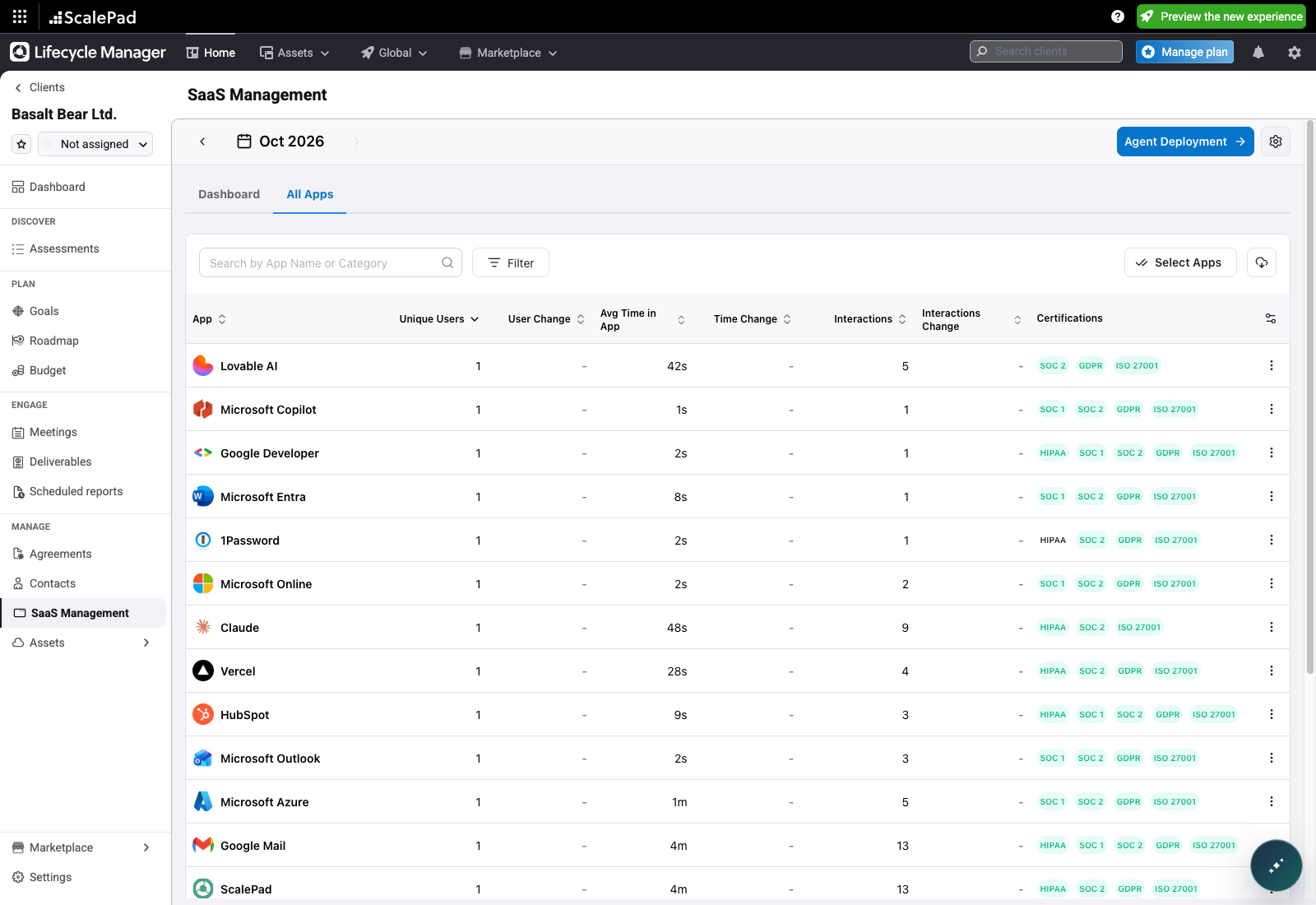
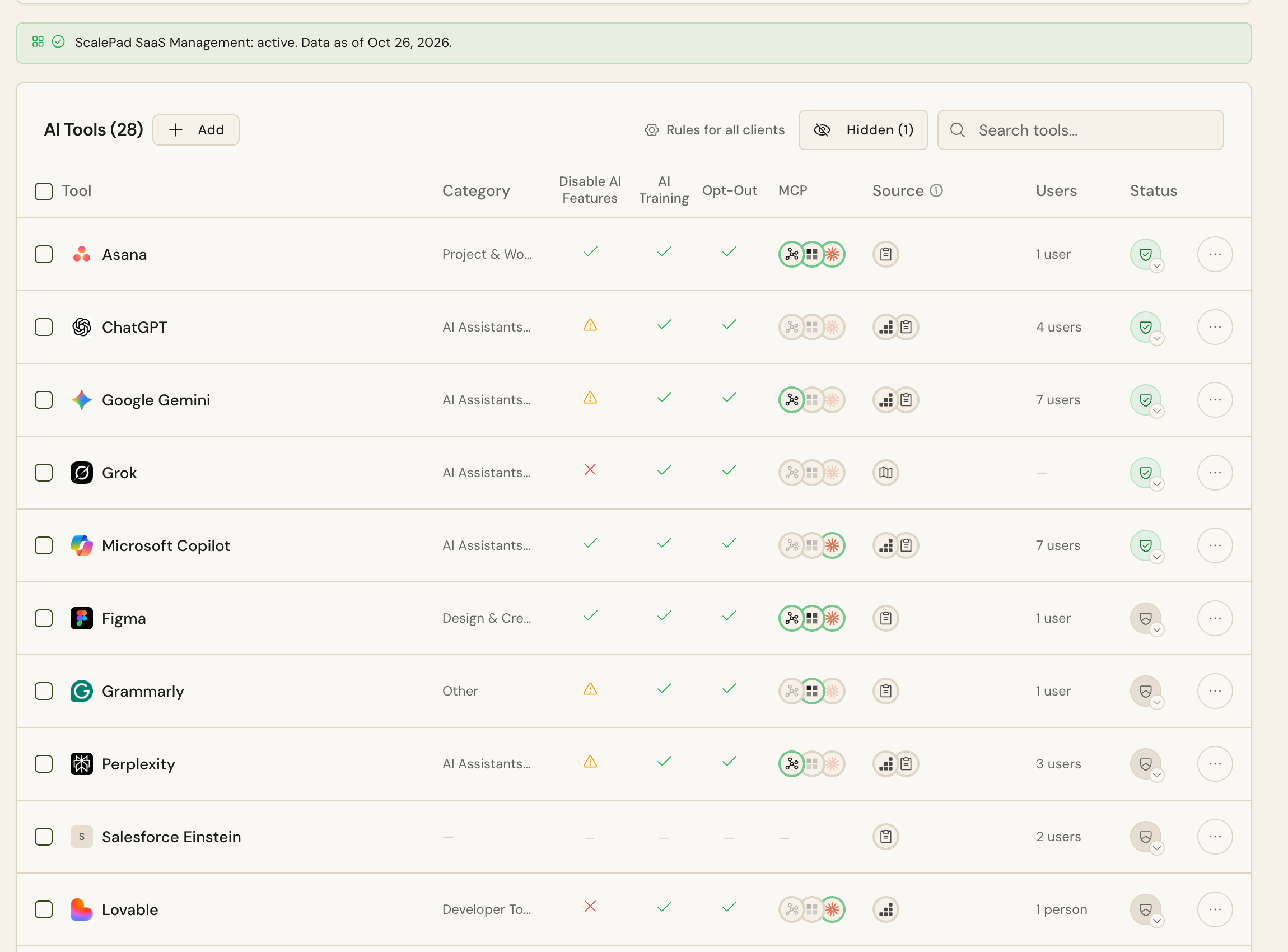
An app counts as AI when Lemhi's app catalog knows it, or when ScalePad's category marks it as AI.
Lemhi reads SaaS Management once a day per client. ScalePad usernames appear only on the app's ScalePad tab.
App detail: what ScalePad tells you
Open any app on the client's AI Tooling page and select the ScalePad tab to see what SaaS Management reports for it, right next to Lemhi's own research on the app.
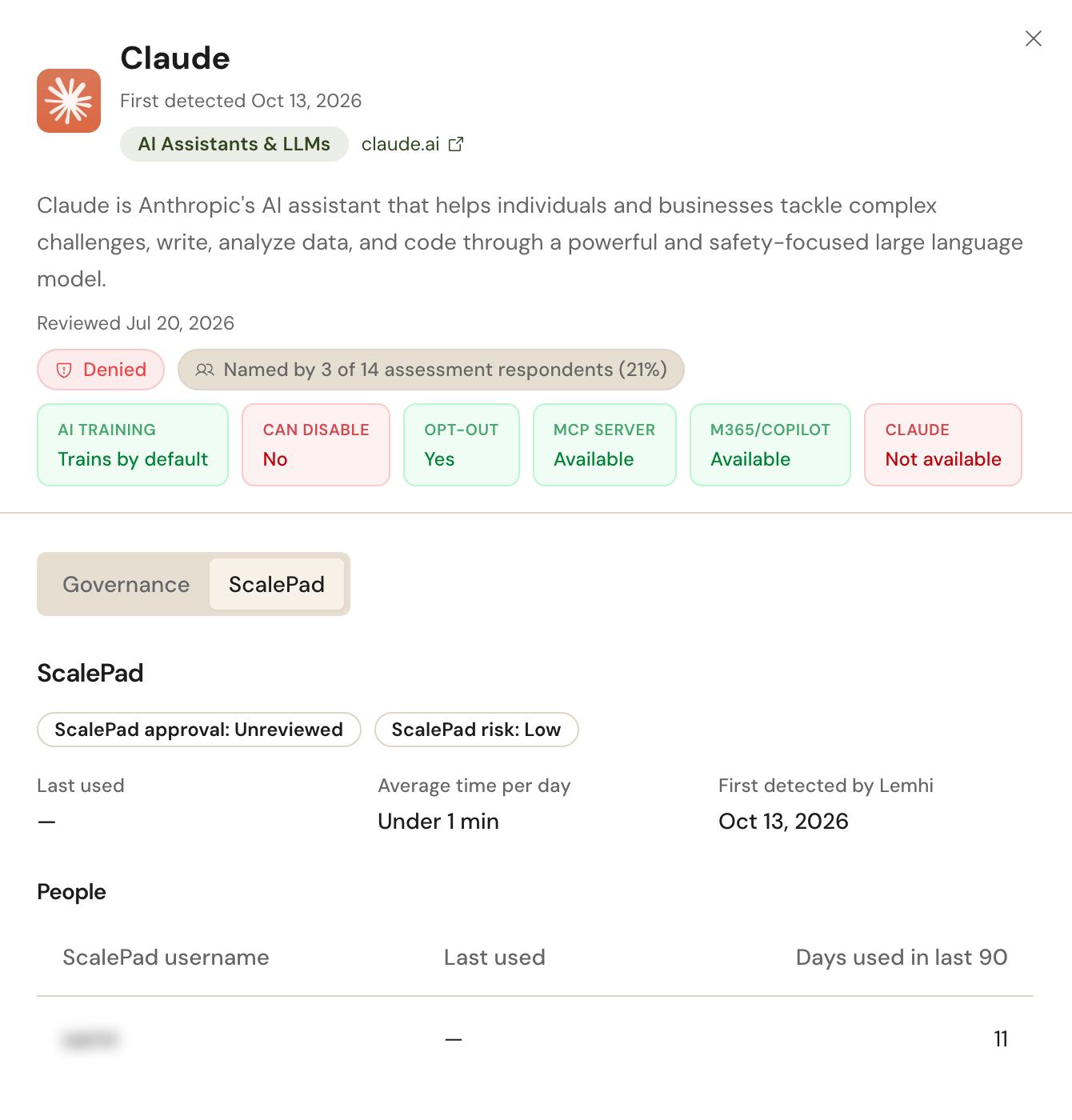
From ScalePad
ScalePad approval and risk, as set in SaaS Management.
Last used and average time per day across the client.
People: each ScalePad username, when they last used the app, and days used in the last 90.
From Lemhi, on the same sheet
The client's approval decision for the app.
Whether the app trains on data by default, whether AI features can be disabled, and opt-out.
MCP server and Microsoft 365 Copilot availability.
How many assessment respondents named the app.
ScalePad usernames appear only on this tab. They aren't shown anywhere else in Lemhi, including the AI Tool Report.
Related
Was this helpful?
Still need help? Ask the team