AI roadmap to ScalePad initiatives
How approved use cases become initiatives on a client's ScalePad roadmap, what Lemhi sets on them, and how status syncs both ways.
Written By The Lemhi Product Team
Last updated 10 days ago
This is for vCIOs who plan in ScalePad and manage the AI program in Lemhi. It covers what lands on the ScalePad roadmap and how status stays in step.
AI roadmap to ScalePad initiatives
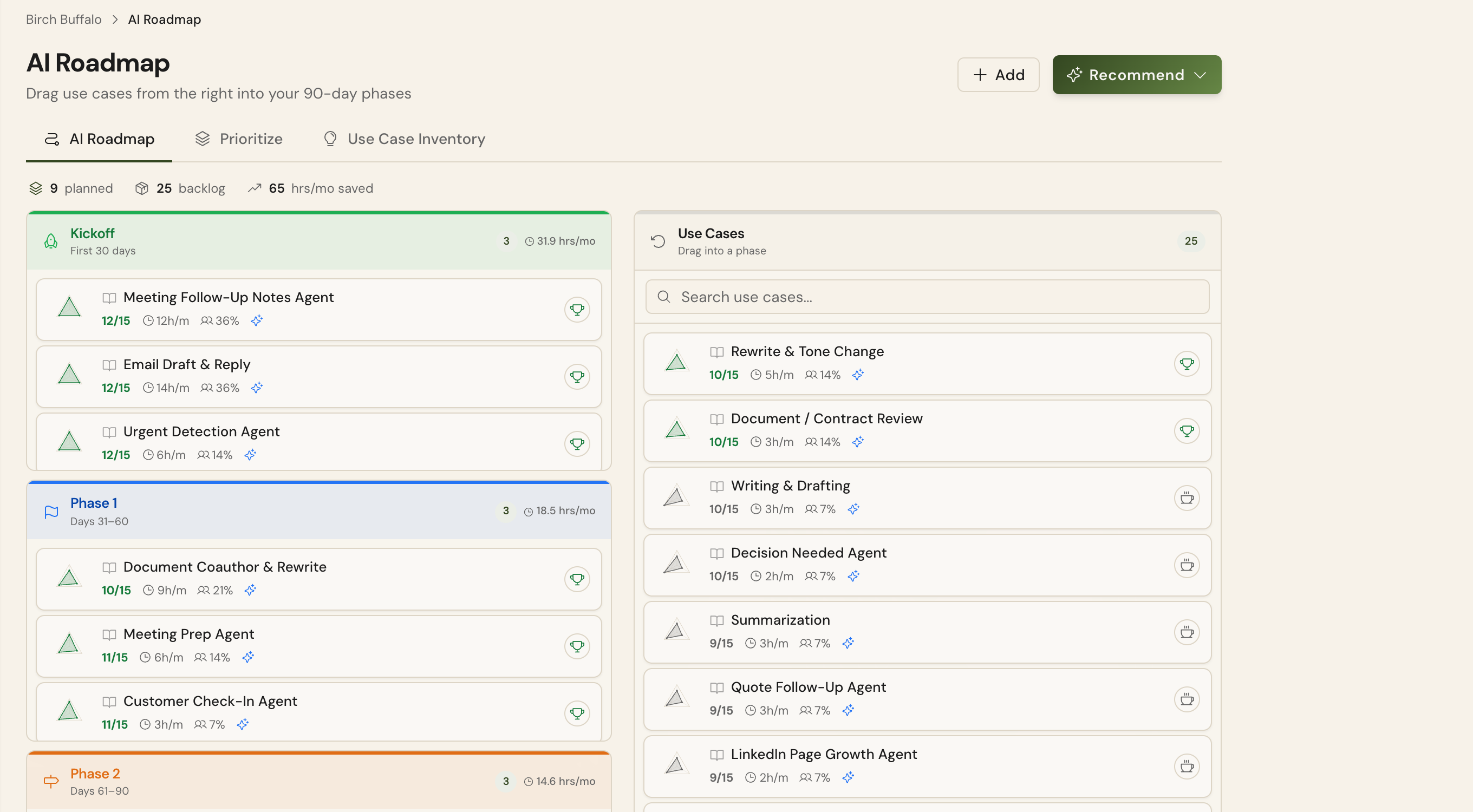
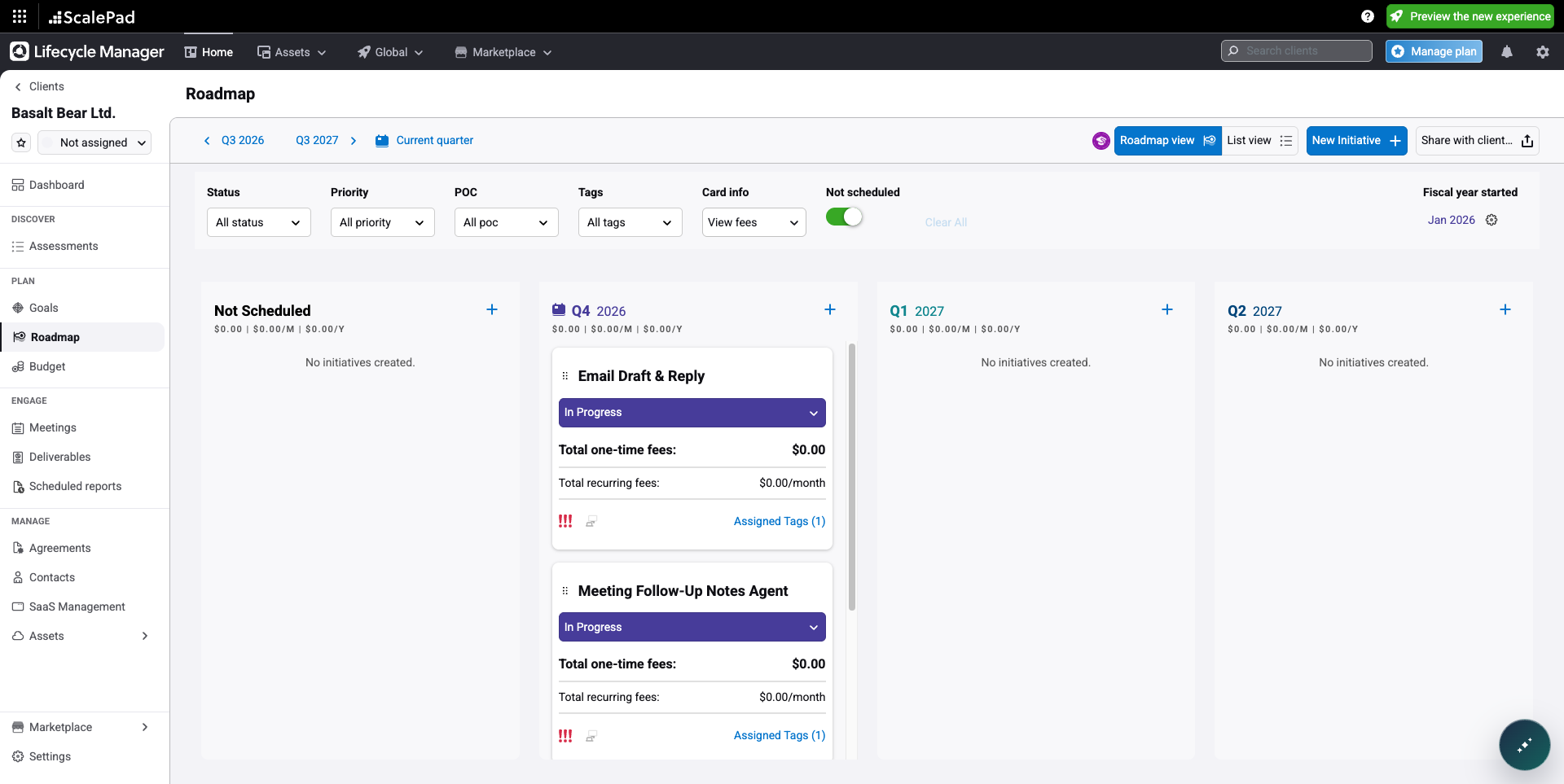
When a use case on a mapped client's AI Roadmap sits in one of the roadmap's three phases (not Backlog) and is Approved, In Progress, or Completed, Lemhi creates it as an initiative on that client's ScalePad roadmap. Backlog items, and proposed or under-review ideas, stay in Lemhi.
What Lemhi sets on each initiative
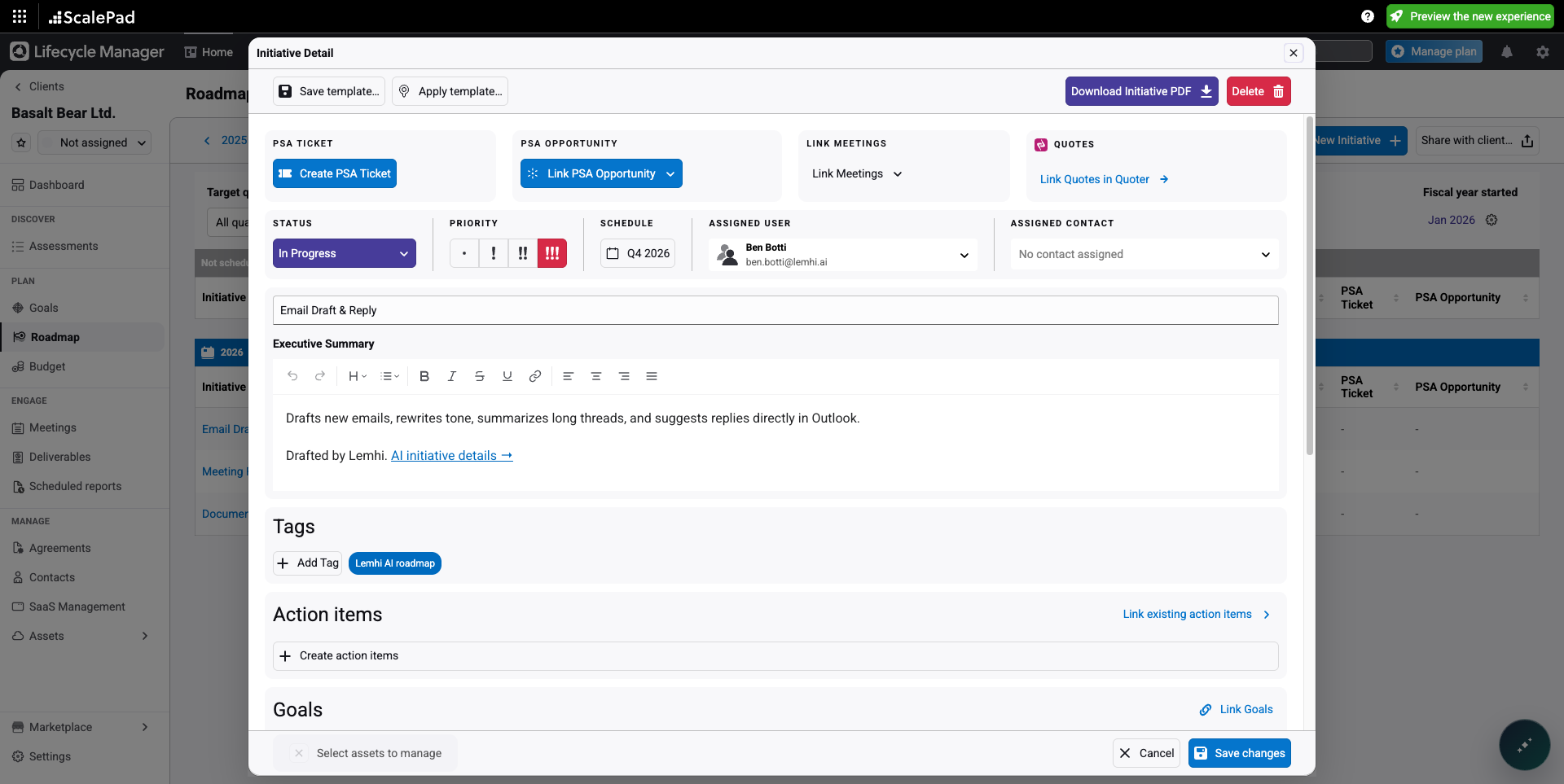
Name, summary, and status from the use case. The summary ends "Drafted by Lemhi." and links to the client's AI Roadmap.
Priority from the roadmap phase: the first phase is High, the second Medium, the third Low.
Schedule in the quarter the phase falls in, and the Lemhi AI roadmap tag.
Priority and schedule are set once, when the initiative is created. Lemhi doesn't change them after that.
Two-way status
Your vCIO can keep planning in ScalePad. When someone changes an initiative's status in ScalePad, Lemhi picks it up the next time someone opens the client's AI Roadmap or Compass Overview.
ScalePad wins on status. If both sides changed, ScalePad's status is kept.
Once someone renames an initiative or edits its summary in ScalePad, Lemhi stops writing that field. Status still follows.
On Hold, Declined, and custom ScalePad statuses are left alone in both places.
An initiative deleted or archived in ScalePad is never recreated.
Lemhi doesn't poll ScalePad in the background. Changes go across when something happens in Lemhi (a status or roadmap change, a mapping, a Compass task, a finished AI Intel report) and come back when someone opens the client's AI Roadmap or Compass Overview. To push a client now, select Send to ScalePad on its row under Client mapping.
Related
Was this helpful?
Still need help? Ask the team