See which tasks have HaloPSA tickets
Read ticket chips, the ticket section, and the In HaloPSA filter to track where Compass work went.
Written By The Lemhi Product Team
Last updated 1 day ago
For vCIOs and account managers. When you finish, you know where each Compass task stands in HaloPSA.
Ticket chip. Each pushed or linked task shows its ticket number, for example Halo #12345, in the task list and in task detail. Hover over it to see the ticket's last known status. The chip shows a check mark once the ticket is closed in HaloPSA. While a push is running, the chip reads Push in progress.
Ticket section. In task detail you see In HaloPSA with the ticket chip, the Team and Ticket type it was logged with, who pushed or linked it and when, the Halo status with the time it was read, and Open in HaloPSA, which opens the ticket in a new tab.
Filter. Use the In HaloPSA: yes / no filter on the task list to see what has and has not gone to HaloPSA.
Status refresh. Lemhi reads the ticket's status each time you open the task. If HaloPSA cannot be reached, you see "Could not refresh from HaloPSA" with the last known status, and the rest of the task works normally.
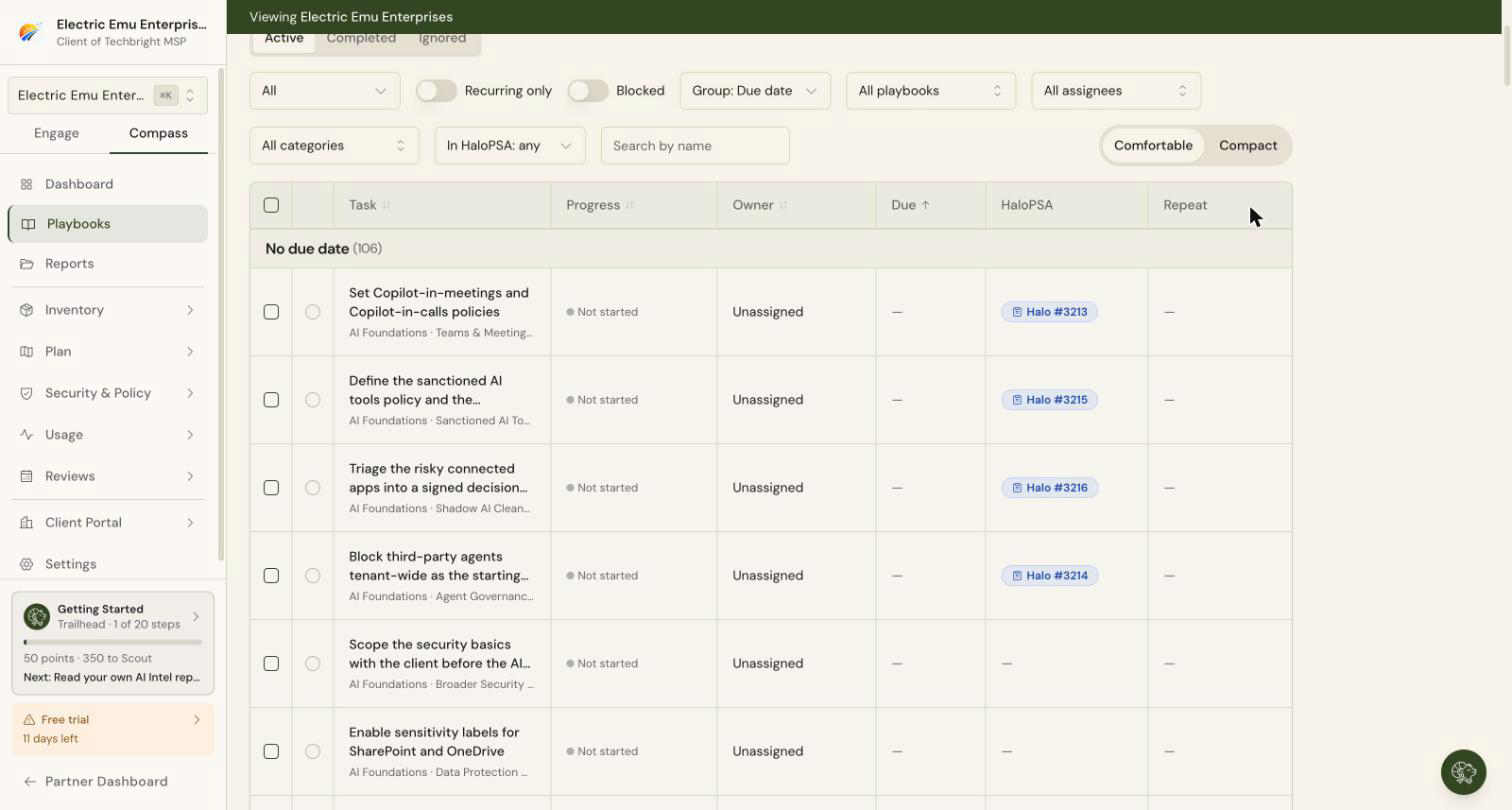
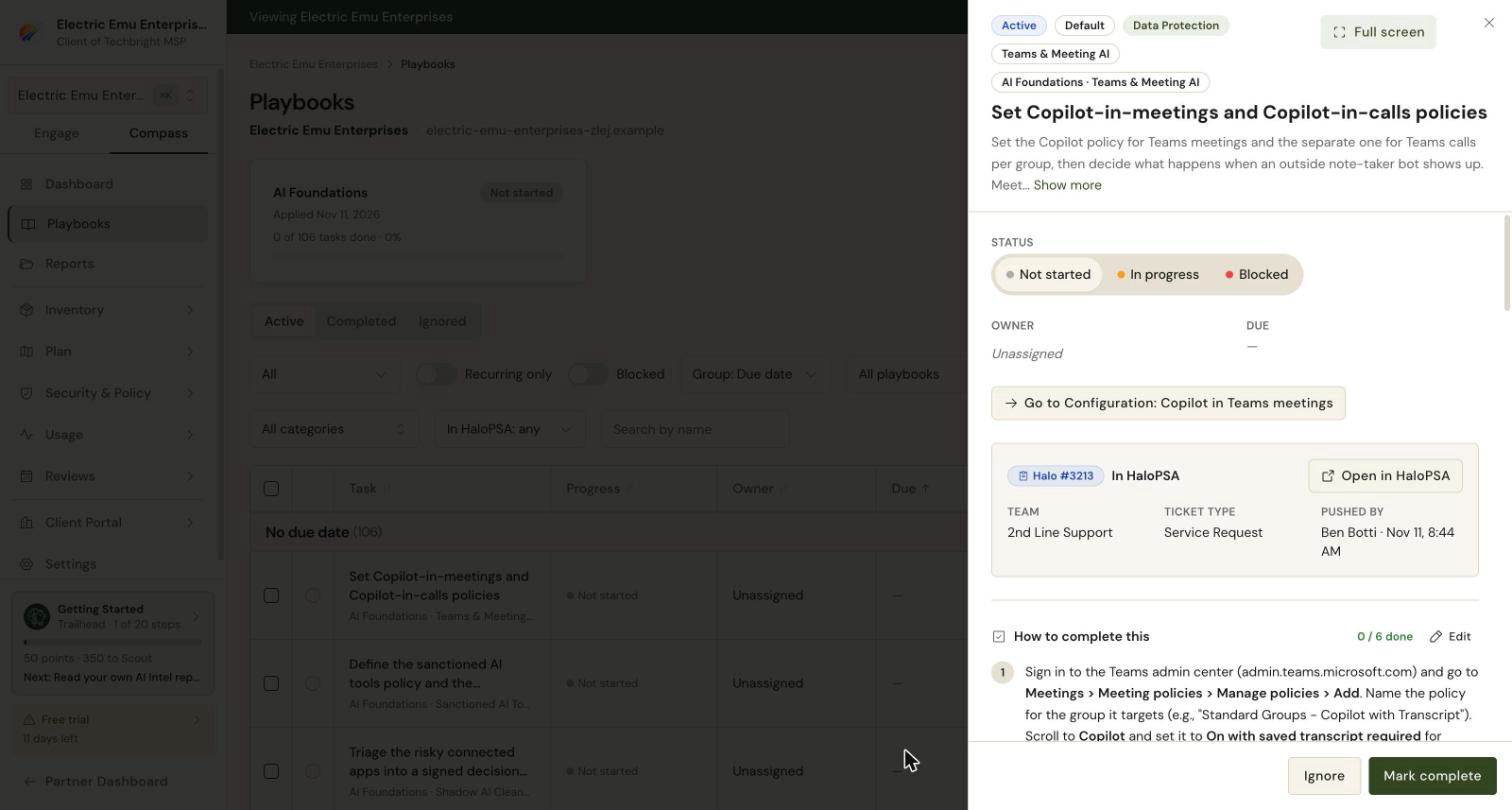
Closing the ticket does not complete the Compass task. Automatic completion is not part of this release. For now, the check mark on the chip tells you the technician is done, and you complete the task in Compass.
If a ticket was deleted in HaloPSA
The task says "This ticket no longer exists in HaloPSA". Select Unlink to clear it, then push a new ticket or link another one.
After reconnecting to a different HaloPSA
Tickets from the earlier connection stay on their tasks as history. Their status reads "From a previous HaloPSA connection", and Lemhi no longer refreshes them.
Related
Was this helpful?
Still need help? Ask the team