Getting started with Compass and Managed Agents
What Compass is, how the five playbooks work, what a task looks like, who can see it, and how Managed Agents ships alongside it.
Written By The Lemhi Product Team
Last updated 3 months ago
What is Compass?
Compass is the playbook for delivering AI to your clients: what the work is, in what order, and step by step, so a tech who has never opened the portal can do it. It removes the guesswork of what "do the AI work" means for each client, inside the product you already use.
See it live: we walk through Compass and Managed Agents end to end at the Lemhi Labs session on August 14. Register your delivery team here.
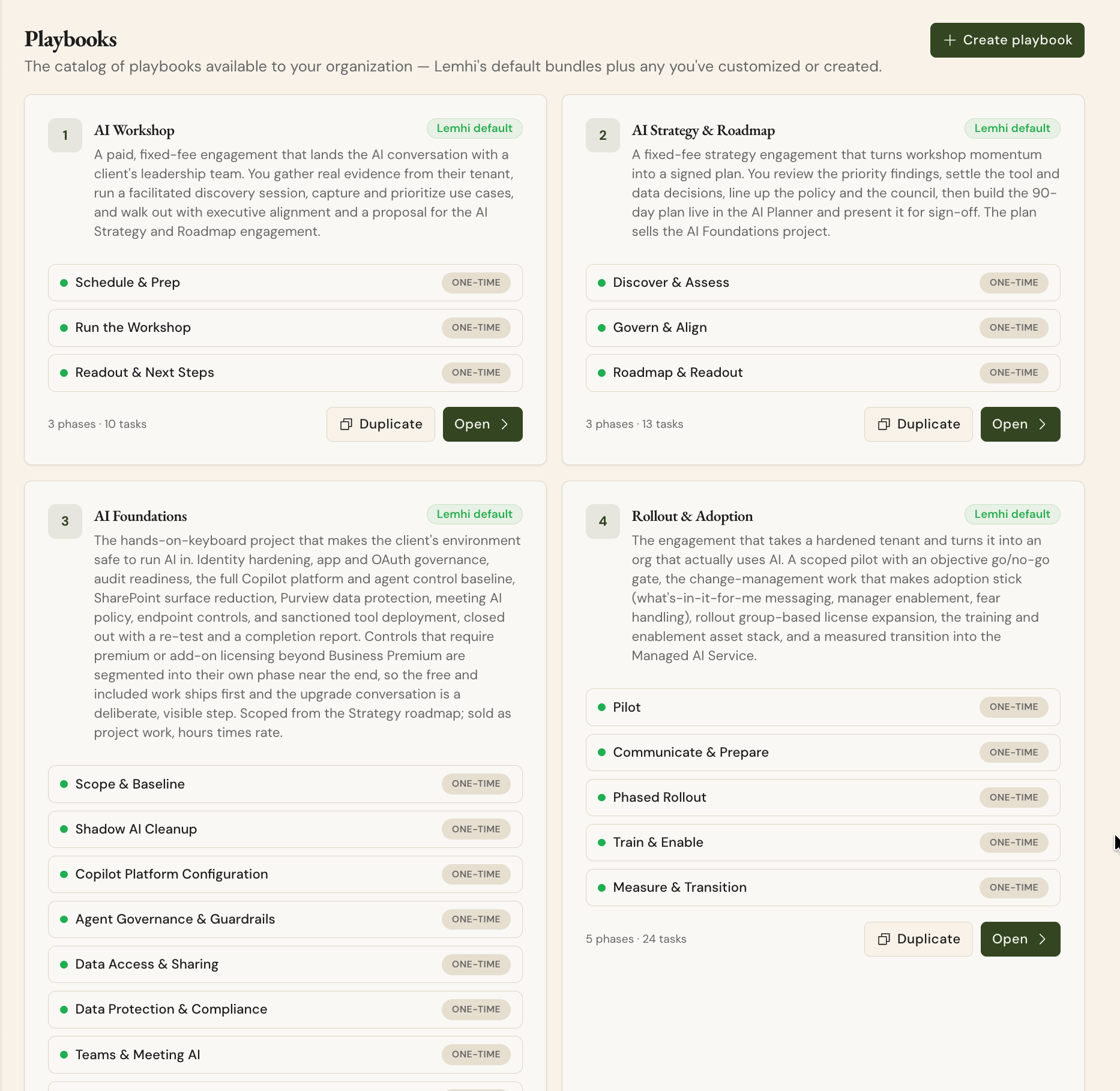
Five playbooks, applied per client, each one a fixed-fee engagement that sets up the next:
AI Workshop: land the AI conversation with leadership.
AI Strategy & Roadmap: turn momentum into a signed 90-day plan.
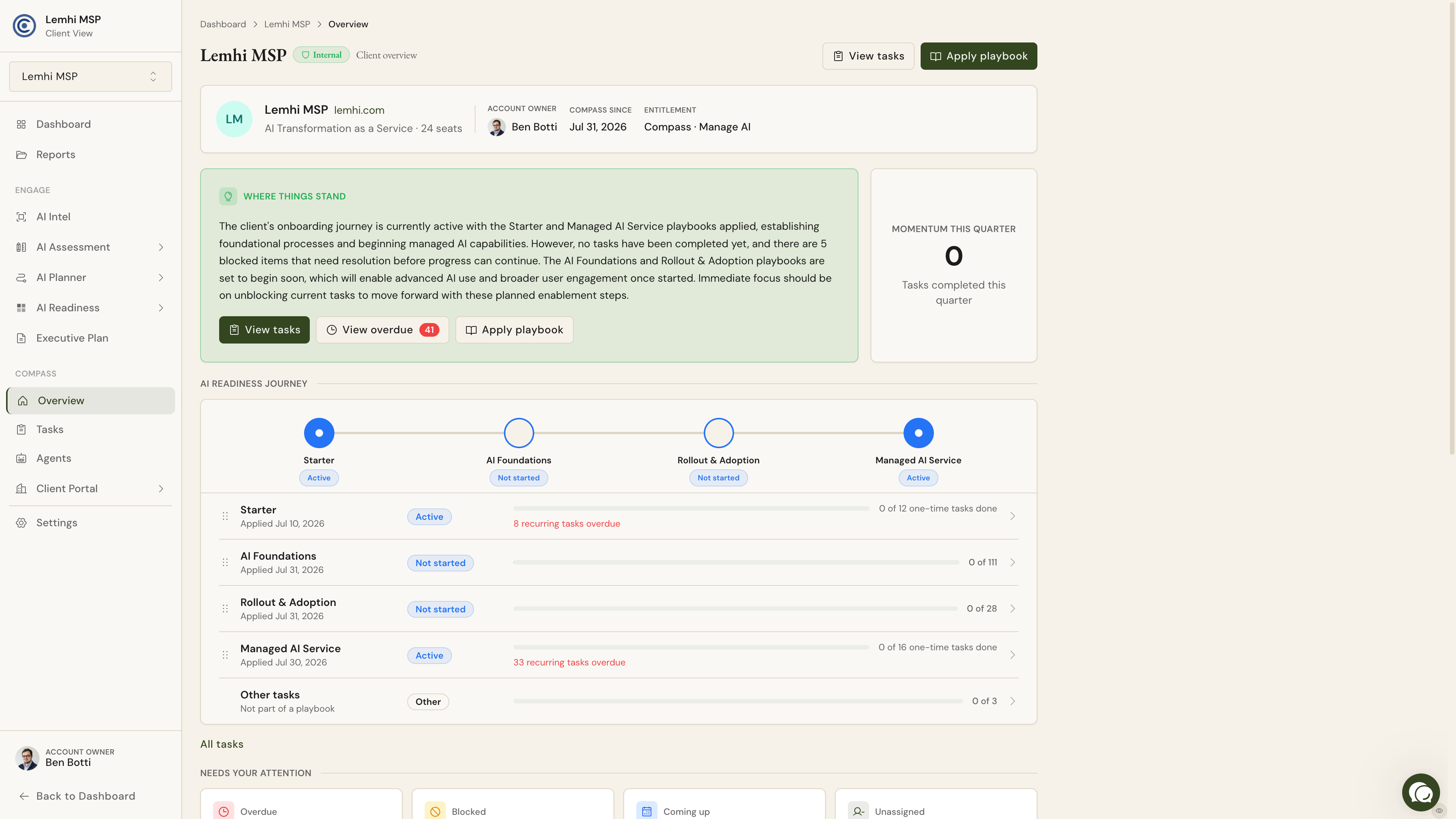
AI Foundations: make the tenant safe to run AI in.
Rollout & Adoption: turn a hardened tenant into an org that actually uses AI.
Managed AI Service: keep it governed, adopted, and compounding. This is the retainer.
Underneath sits a library of real tasks with guided steps, owners, and effort estimates. Apply the playbooks a client needs, switch off phases you do not deliver, and work the list. Use our defaults to move fast; add your own tasks partner-wide or for a single client as you go.
What a task actually looks like
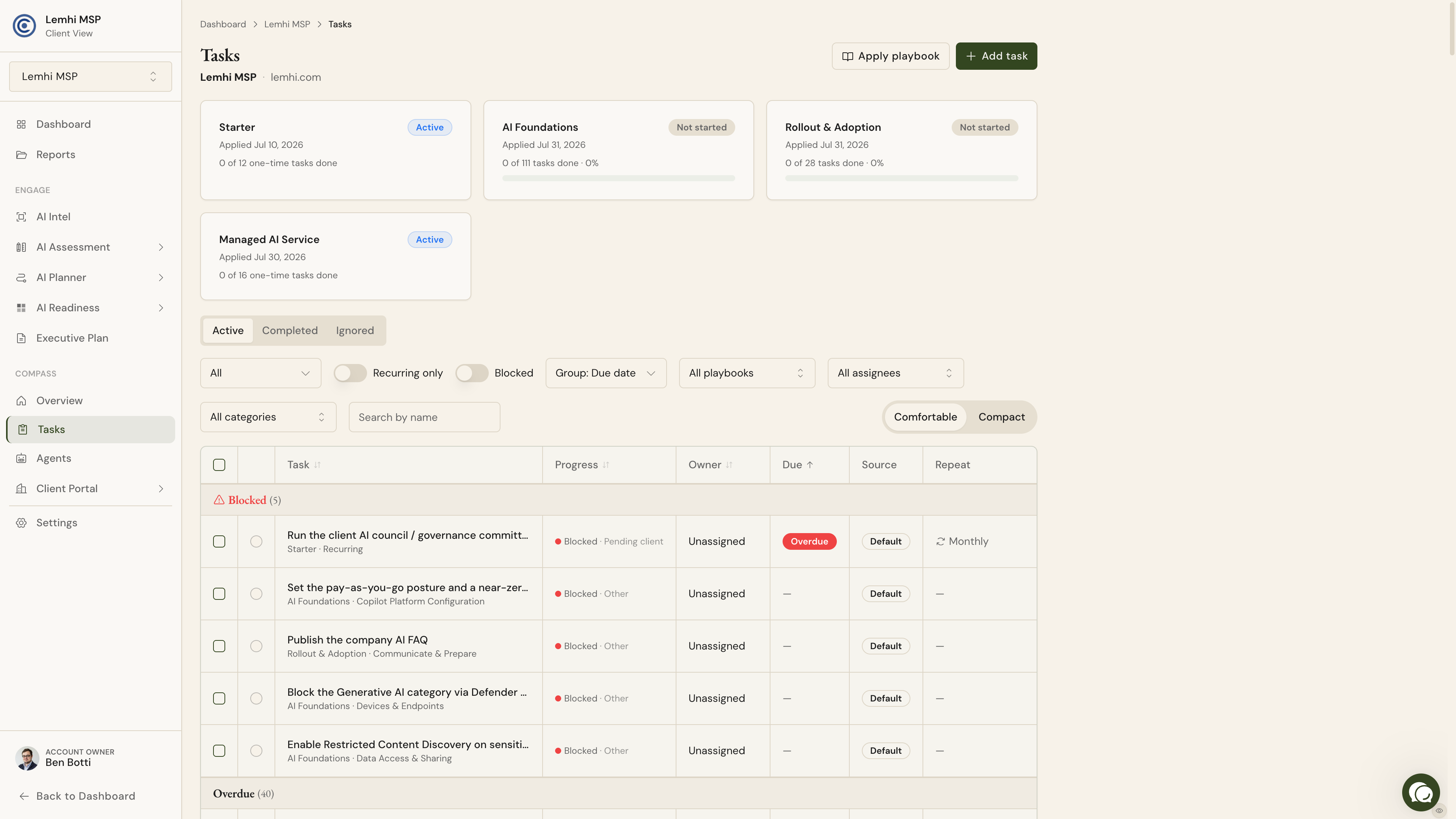
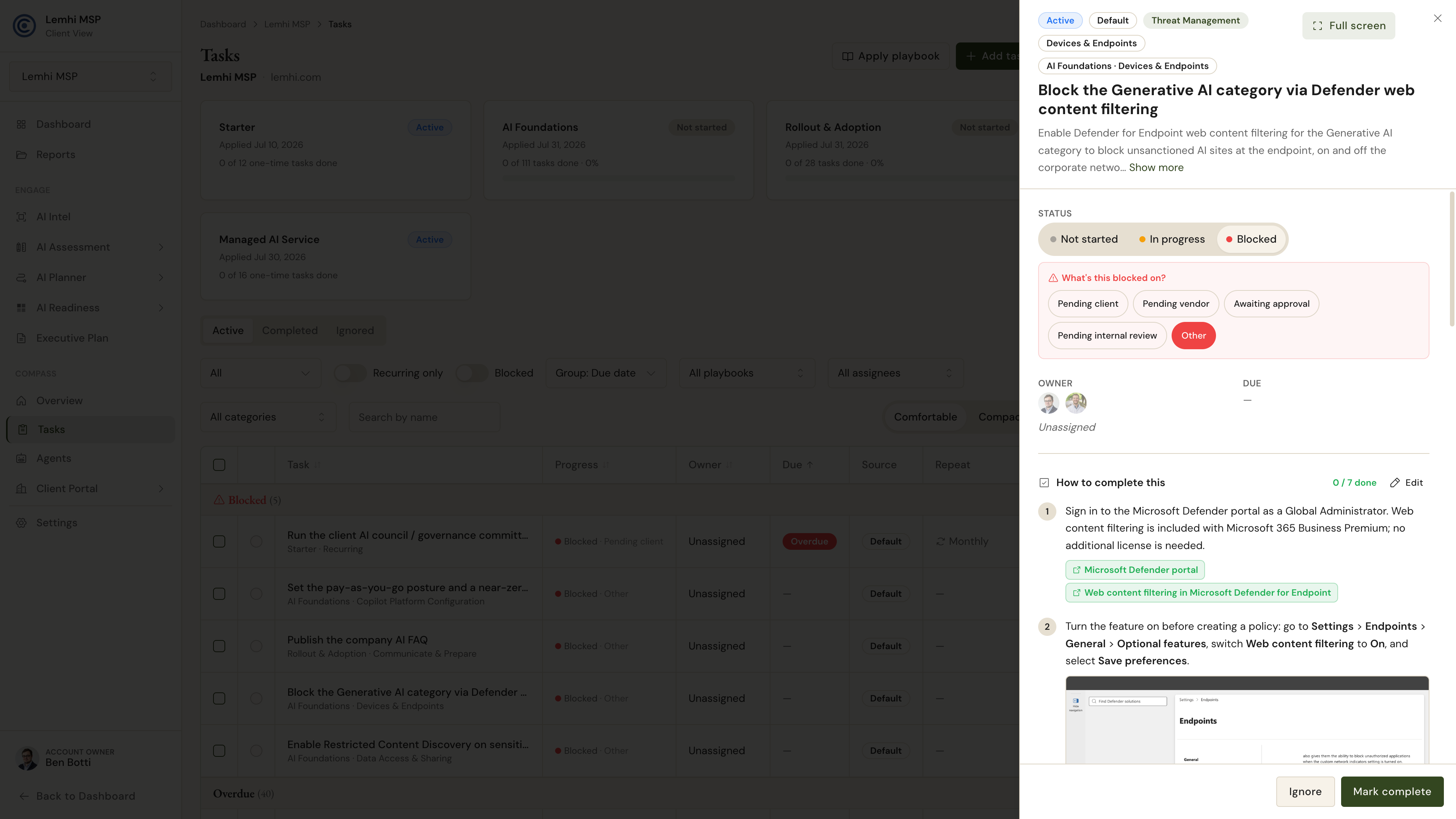
Every task is one concrete thing to do, written for the person doing it, with the exact admin center path and a link to Microsoft's own documentation. A few from the library:
Block the generative AI category at the endpoint. One Defender policy on licensing a Business Premium client already owns, and shadow AI stops at the browser.
Restrict Copilot from sensitive SharePoint sites. Turn on Restricted Content Discovery and the HR, Legal, and Finance sites drop out of Copilot answers the same day, while the slower permissions cleanup runs.
Publish the company AI FAQ. The change-leadership side of the work, owned by a vCIO rather than an engineer.
Some tasks are pure Microsoft configuration; plenty are owned by the vCIO or the client champion. This is a service, not a hardening checklist.
Where to find it
Inside Lemhi:
MSP level > Playbooks: the catalog. Browse the five defaults and add your own tasks partner-wide or for a single client.
Client > Playbooks: apply a playbook to a client and switch off phases you do not deliver.
Client > Overview: what is up next, what is blocked or waiting on the client, where they sit in their journey, and what you completed this cycle. The bottom of that screen is most of your QBR, already written.
Open any task to see its guided steps, its owner, its Microsoft deep link, and its screenshots.
Who sees Compass: roles and access
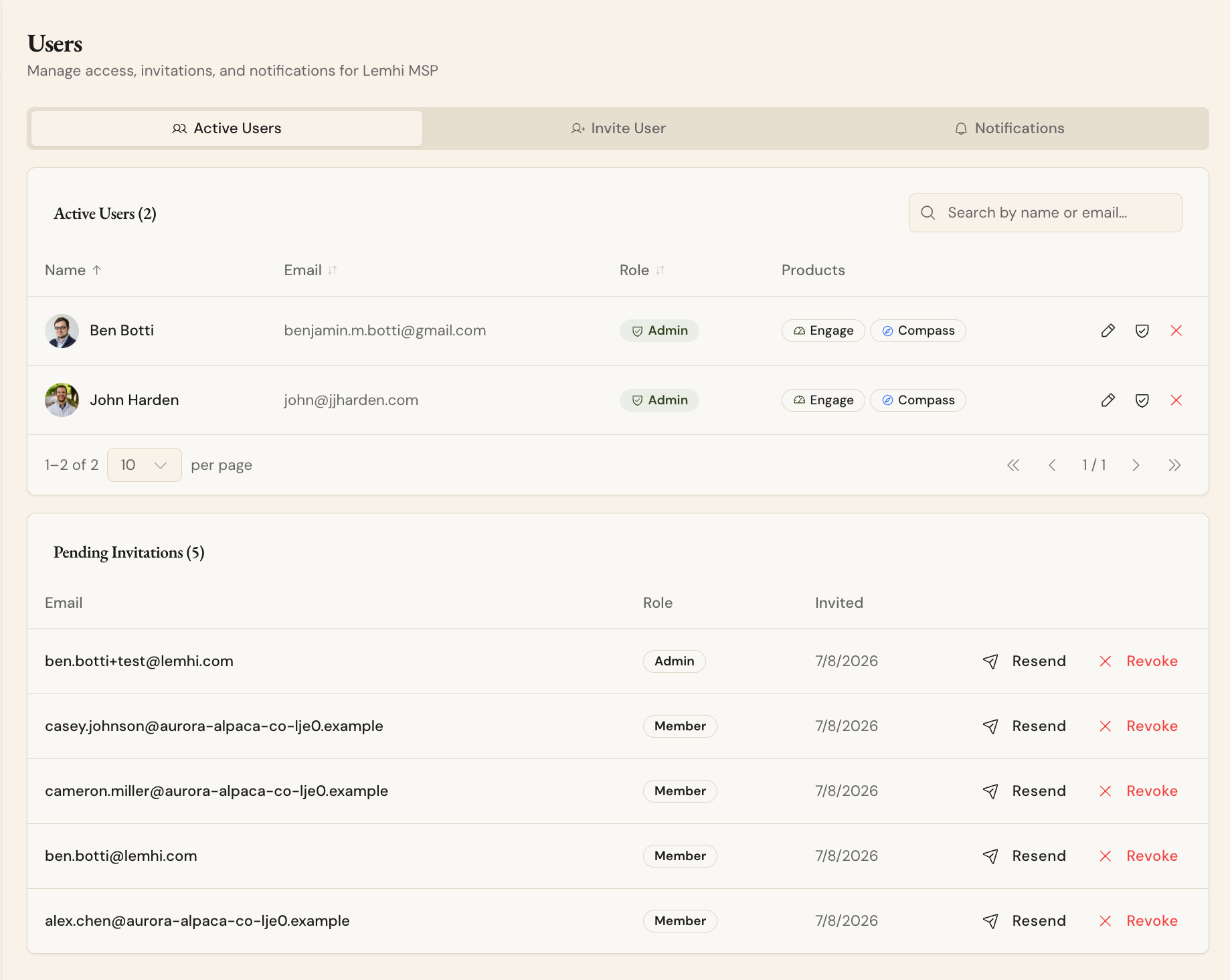
Viewer is now Member. The Viewer role has been renamed: anyone who had Viewer is now a Member, with the same permissions they had before. Adding users and changing another user's permissions stay with Admins. A true read-only role is coming in a later release.
Compass access is granted per user. Admins always have Compass and grant or remove it for each Member from user management. A Member without access sees no Compass section on any client and no MSP-level Playbooks page; the rest of Engage is unchanged for them.
Managed Agents: the delivery side
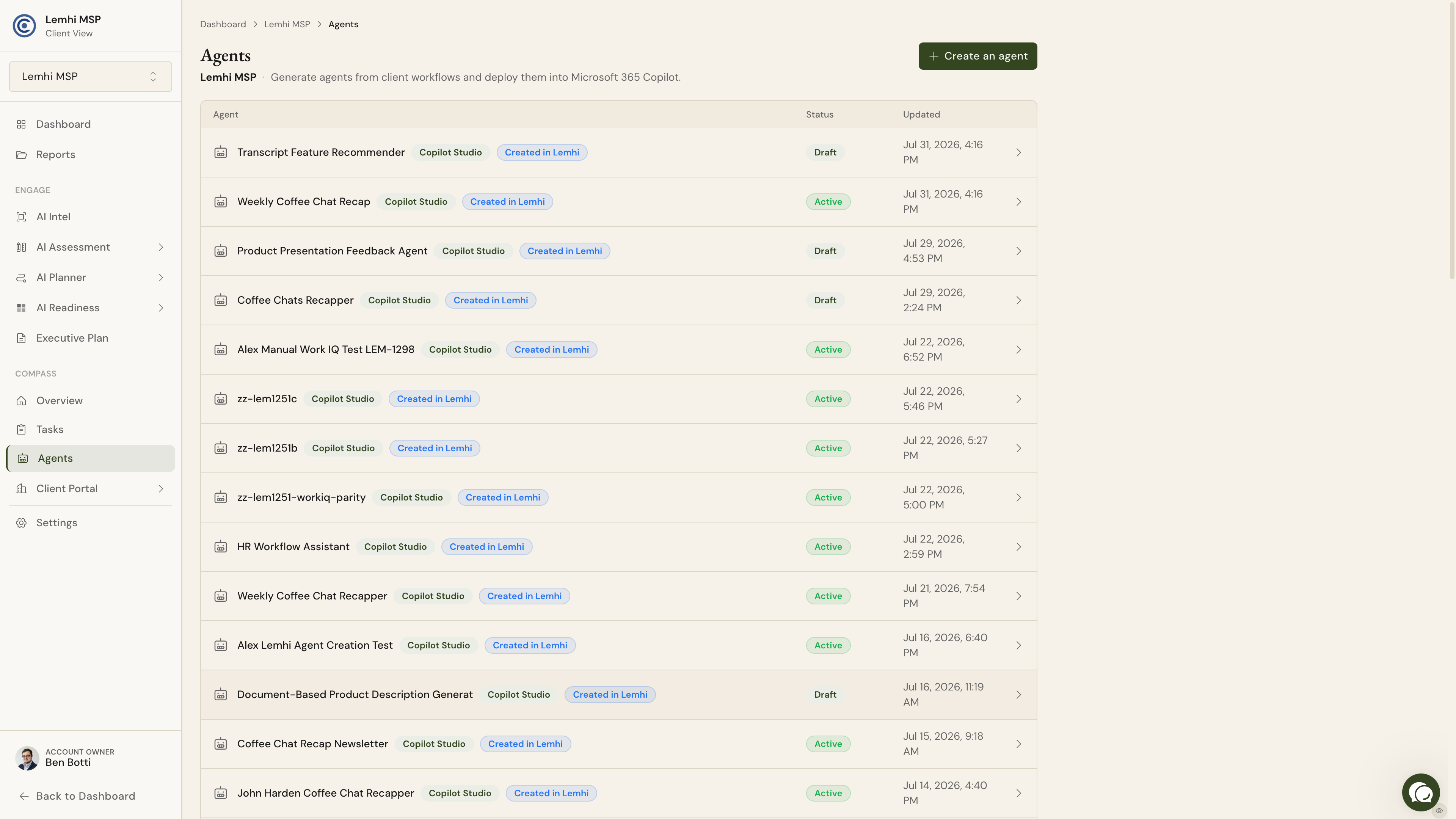
Compass tells you what the AI work is; Managed Agents puts a working agent in front of the client. Describe a workflow in plain language, Lemhi generates the agent, you review and adjust it, and you deploy it into the client's Microsoft 365 over the delegated access you already hold. You also get a live inventory of every agent already running in the client's tenant. It is an early release and will evolve quickly; your feedback directly shapes what ships next.
How the playbooks stay accurate
The playbooks are the executable form of our MAGIC framework (framework.lemhi.ai), drawn from what we see MSPs actually doing in real client environments, Microsoft's own recommendations, and what drives real change across the base.
The steps are agent-generated and validated. Agents spin up live Microsoft sandbox tenants on a schedule: one performs the task and writes the steps, a second proves them in a clean tenant. When Microsoft moves a button, validation fails and the playbook gets fixed. If a step is live in Compass, it has recently been verified in a real Microsoft tenant. This allows us to stay up to date, so you don’t have to follow every new change or new AI feature Microsoft releases.
What is coming next
Task automation. Deep links ship now; one-click reports and making the Microsoft change from inside Lemhi follow.
Engage findings and roadmap items flow in as tasks. Roadmap items and agents first; assessment and data governance findings follow.
Smarter scheduling and AI-assisted authoring. Due dates spread from kickoff, owner, and effort; describe an outcome and get proposed tasks.
PSA integration. Targeted for our GA release.
See it live
We walk through Compass and Managed Agents end to end at the Lemhi Labs session on August 14. Get your delivery team on that call. Register your delivery team here.
Was this helpful?
Still need help? Ask the team