Lemhi Release — Three Forks, MT (Jul 15, 2026)

What's New: July 2026
Three Forks release: the headwaters of the Missouri River, where the Jefferson, Madison, and Gallatin Rivers converge, named by Lewis and Clark.
Three rivers meet at Three Forks, and this release runs on three lenses: Business, eXperience, and Technology. BXT scoring rates every AI use case on all three, one click turns the scores into a phased 90-day roadmap you can defend in front of any client, and new users get a guided first run that helps them understand and start leveraging Lemhi the same day.
Know What to Build First: BXT Scoring
"Which AI use case do we start with?" You can now answer with a proven framework. The Client Roadmap and Enablement planner share one prioritization surface built on the BXT framework, the same Business / eXperience / Technology model Microsoft uses to prioritize AI use cases. Every use case gets scored 1 to 5 on whether it's worth doing (Business), whether anyone will care (eXperience), and whether you can build it (Technology), plus Human Judgment and System Leverage.
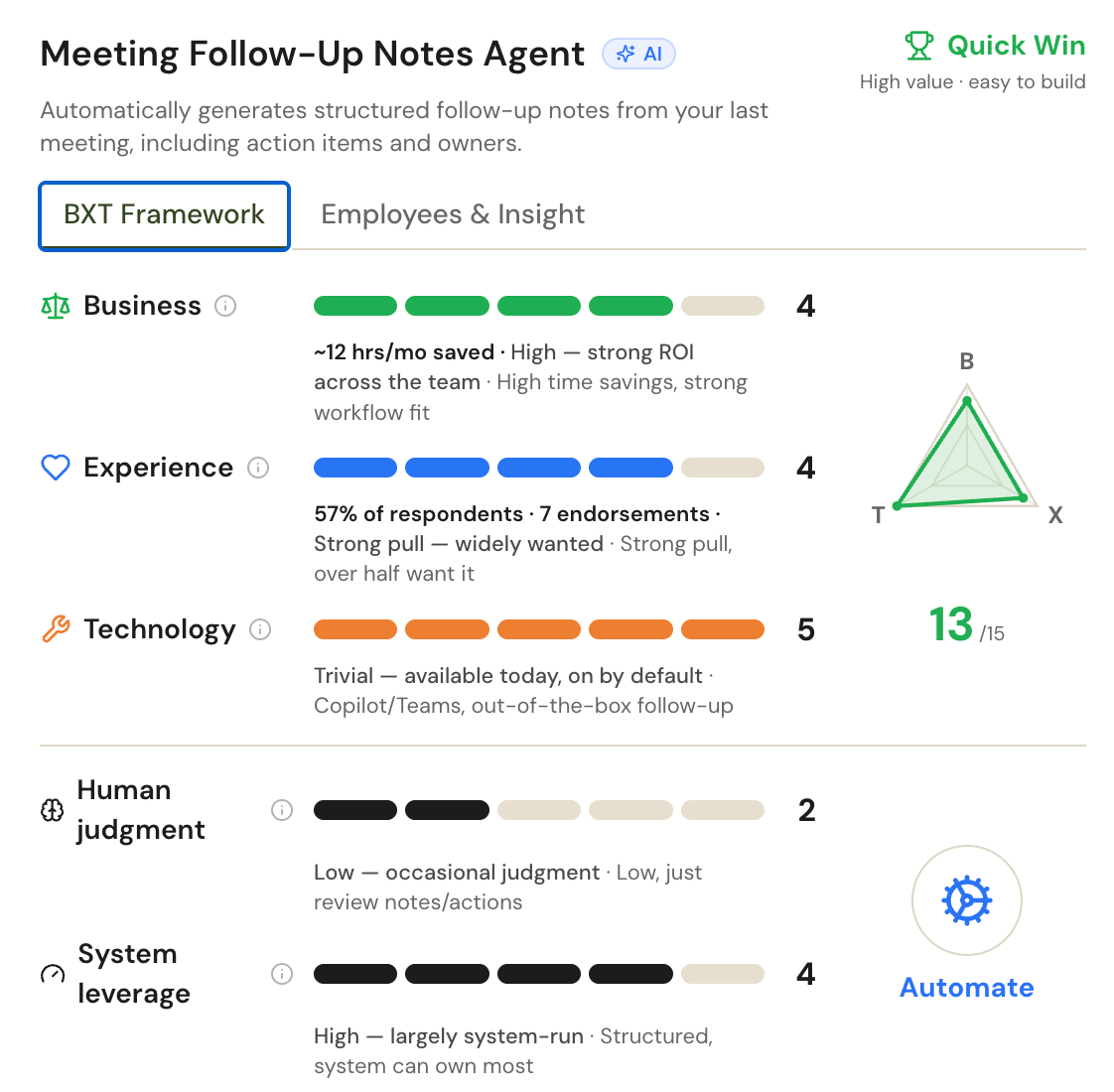
AI scores the whole set for you: One click rates every use case from the survey responses and business context you've already collected, so you walk into the planning conversation with a scored list instead of a blank grid. Adjust any score you disagree with; each one carries a written rationale you can read and edit.
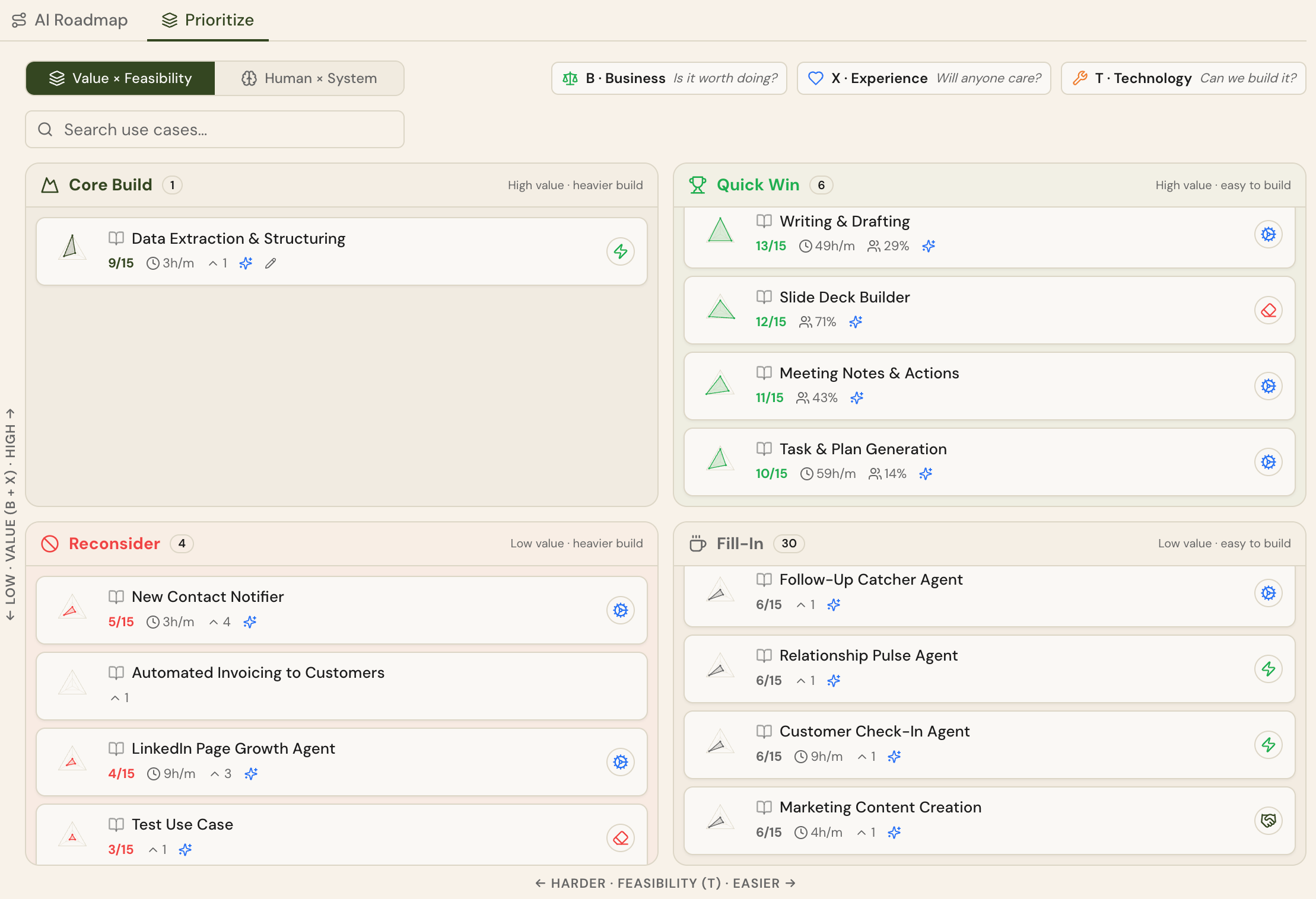
Recommend builds the roadmap for you: Pick a strategy (BXT, Depth for the most hours returned, or Breadth for the most employees touched) and a pace of 1 to 5 use cases per month, and the phased 90-day roadmap assembles itself. The first scoring run builds it automatically, and everything auto-saves. The moment scoring finishes, you're holding a client-ready plan.
Defend any score in the room: An editor shows the lens meters, the per-lens rationale, which employees asked for the use case, and the math behind the projected hours returned. When a client asks "why this one first," the answer is at your fingertips.
Hours read per-month everywhere: Every hours-saved figure across the app now uses the same per-month basis. Numbers compare cleanly between use cases and clients, and your projections hold up side by side.
See Where Every Client Really Stands
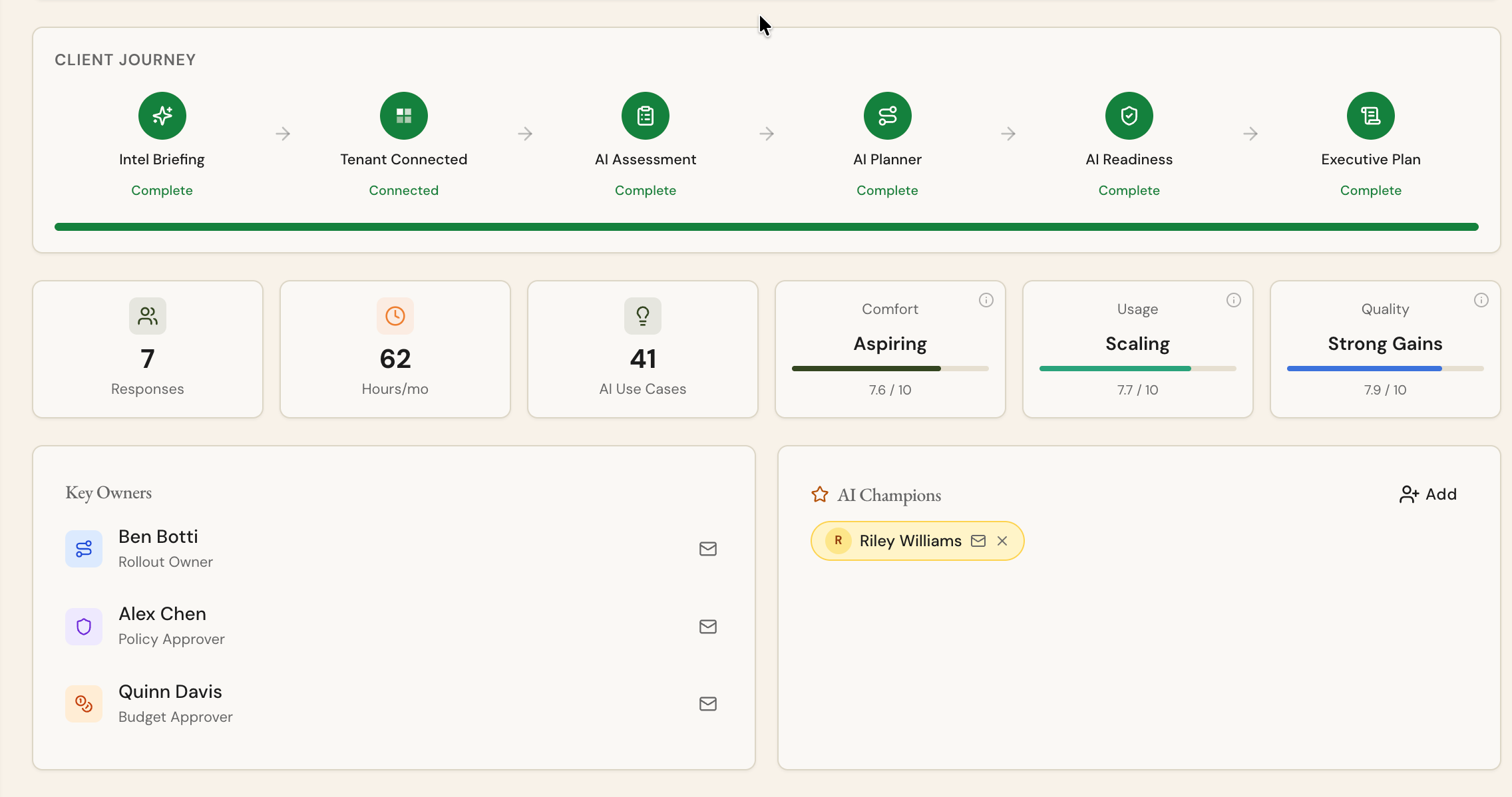
The journey tracker now speaks more accurately to product: The six-stage client tracker on the dashboard and clients list uses the names you already know: Intel Briefing, Tenant Connected, AI Assessment, AI Planner, AI Readiness, and Exec Plan.
Intel Briefing is included as a stage: The first stage lights up only after an AI Intel report has actually run for that client, so the tracker shows real progress instead of a default checkmark.
Get Every New User Working on Day One
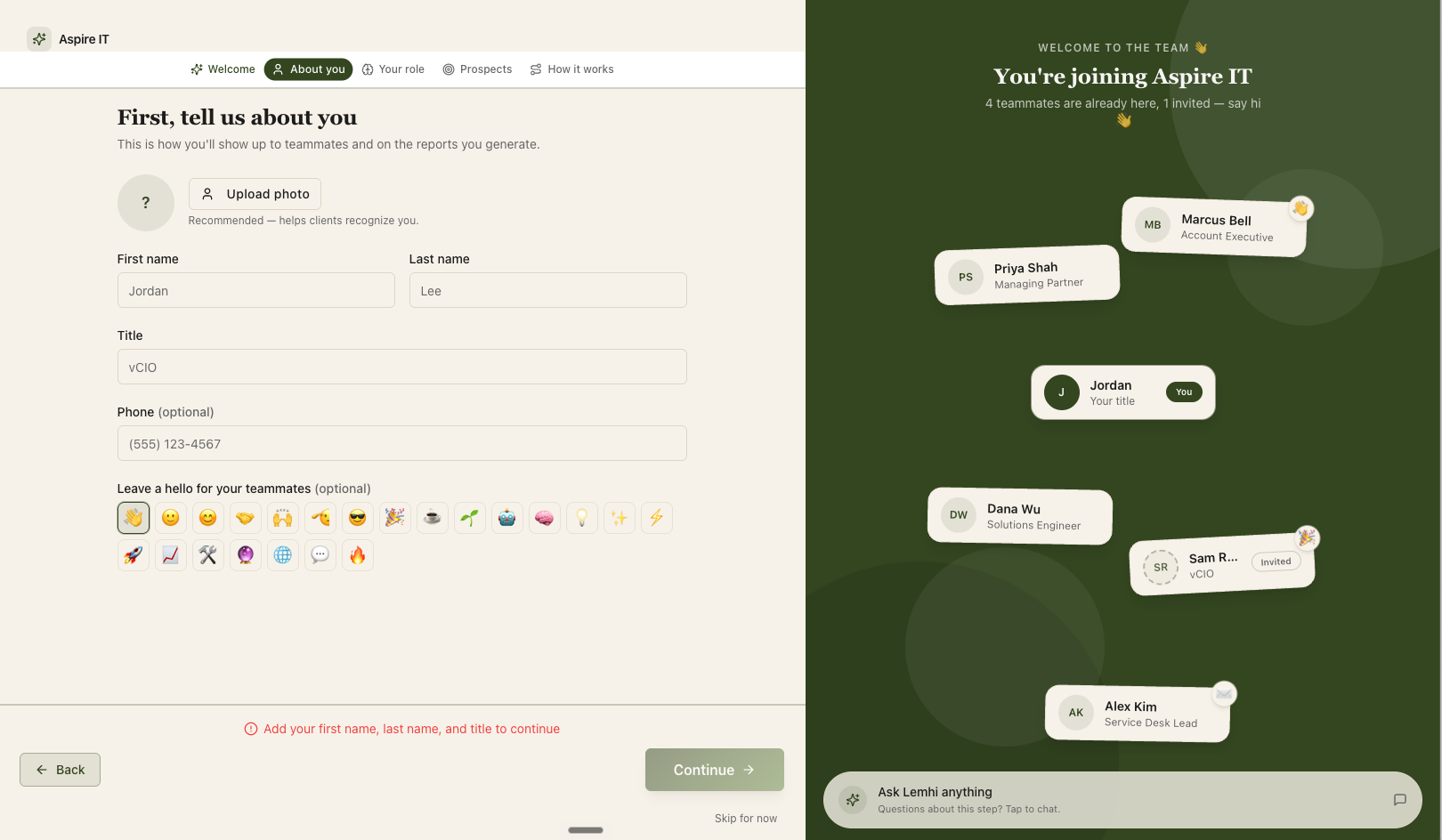
Every seat you add starts producing the same day. A branded Welcome wizard replaces the static Getting Started checklist: new teammates set up their profile, learn how Lemhi works, and land in a ready-to-use workspace on their first login.
Personal Welcome wizard: Every new user walks through a short guided setup: who you are, your role, your prospects, and how Lemhi works, with the Learn knowledge agent on hand for questions along the way. The profile step is the real profile editor: the details you enter (including your photo) show up on client deliverables immediately, and nobody has to onboard teammates by hand.
MSP workspace setup for the first admin: The first tenant admin gets a second wizard that sets up the workspace end to end: Microsoft partner connect, client import, branding, business info, invitation messaging, and team invites, with live branded previews as you go. Connecting your Microsoft partner account now returns you to the wizard instead of dropping you on the dashboard, so setup finishes in one sitting.
Lemhi Status page
Issue logging in? Getting an in-product error? You can now track platform status at https://lemhi.instatus.com/
Bug Fixes
Fixed use cases added during the AI Plan (Enablement) survey never appearing on the roadmap
Fixed an issue where Intel reports might take multiple times to run.
Fixed completed AI Workshop Assessment responses showing a stuck partial percentage in the Responses Progress column
Fixed an M365 scan crash that surfaced as a misleading "permissions / expired token" failure
Fixed the AI Enablement Plan digest crashing to an error page for some clients' content
Fixed the settings gear on the Clients list being pushed off-screen by the new Account Owner column