Lemhi Release — Lolo Pass, MT (Sep 3, 2026)

What's New: September 3, 2026
Lolo Pass release: the Bitterroot crossing where the Corps left Montana for Idaho on September 13, 1805, climbing from the hot springs onto the Nez Perce trail with the first snow already on the peaks.
Last release handed you 100 ready-made Copilot agents. This one lets you keep the work you do on them: tune an agent for one client, save it as a template, and create it for the next client from a prefilled draft. The AI Assessment also starts from what AI Intel already learned about the client, to streamline customer conversations and make every assessment feel personal.
Your Own Agent Library: Tune an Agent Once, Reuse It Across Clients
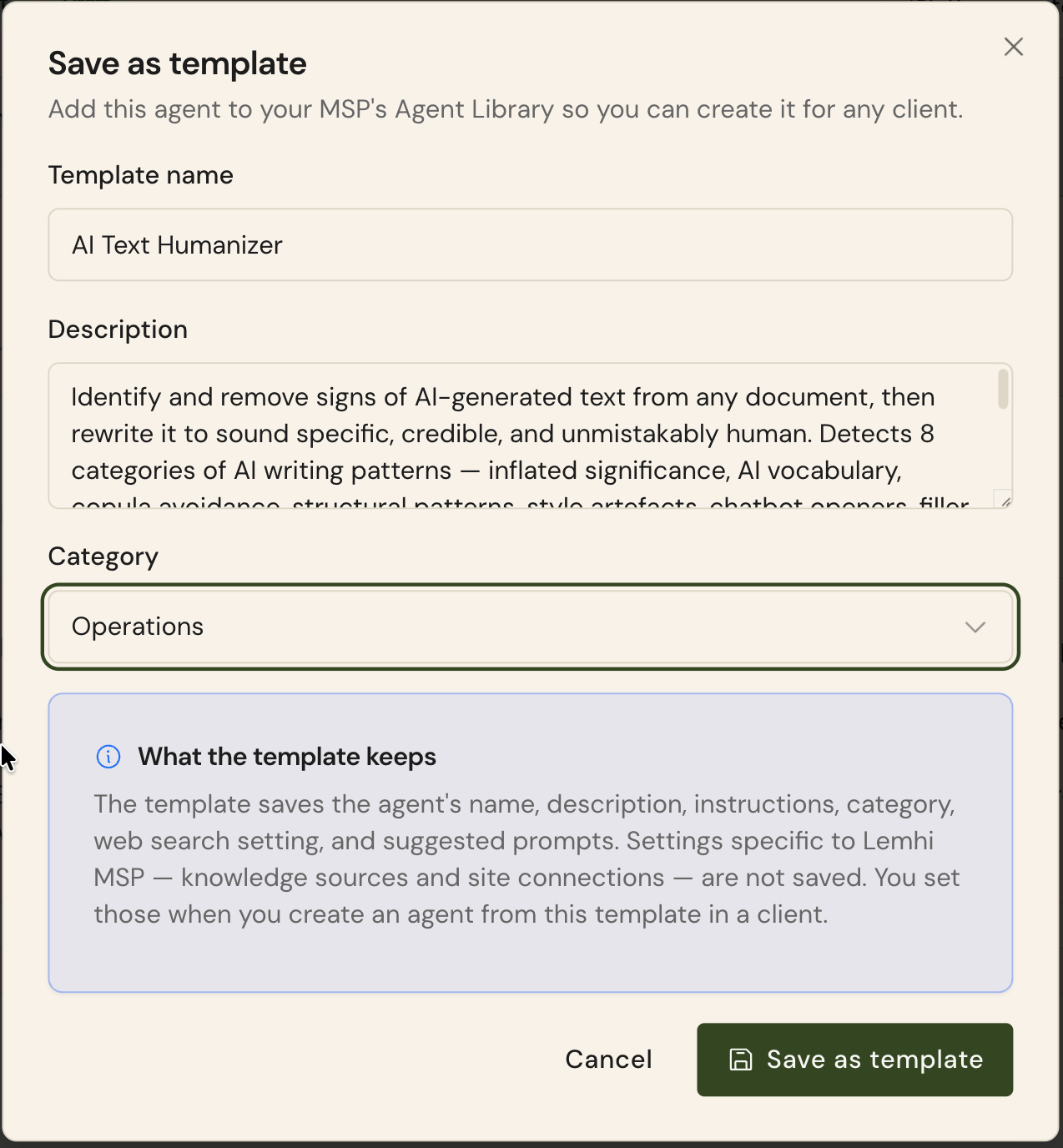
Save a client agent as an MSP template: On any client agent, draft or deployed, choose Save as template, name it, pick a category, and it joins your MSP's Agent Library. Instructions and suggested prompts come along; client-specific knowledge sources and site connections stay behind, so the template is safe to hand to the next client.
Create a client agent from your template: In a client's Browse agent library tab, your templates sit beside the Lemhi catalog with an MSP template badge and an All / MSP templates / Catalog filter. Review and create drops a prefilled draft into that client.
One place to see the whole library: A new Agent Library entry in your MSP sidebar, next to Playbooks, shows the Lemhi catalog and your own templates in one grid with search and category filters. Templates are read-only here in this first version.
AI Assessment: Start From What You Already Know
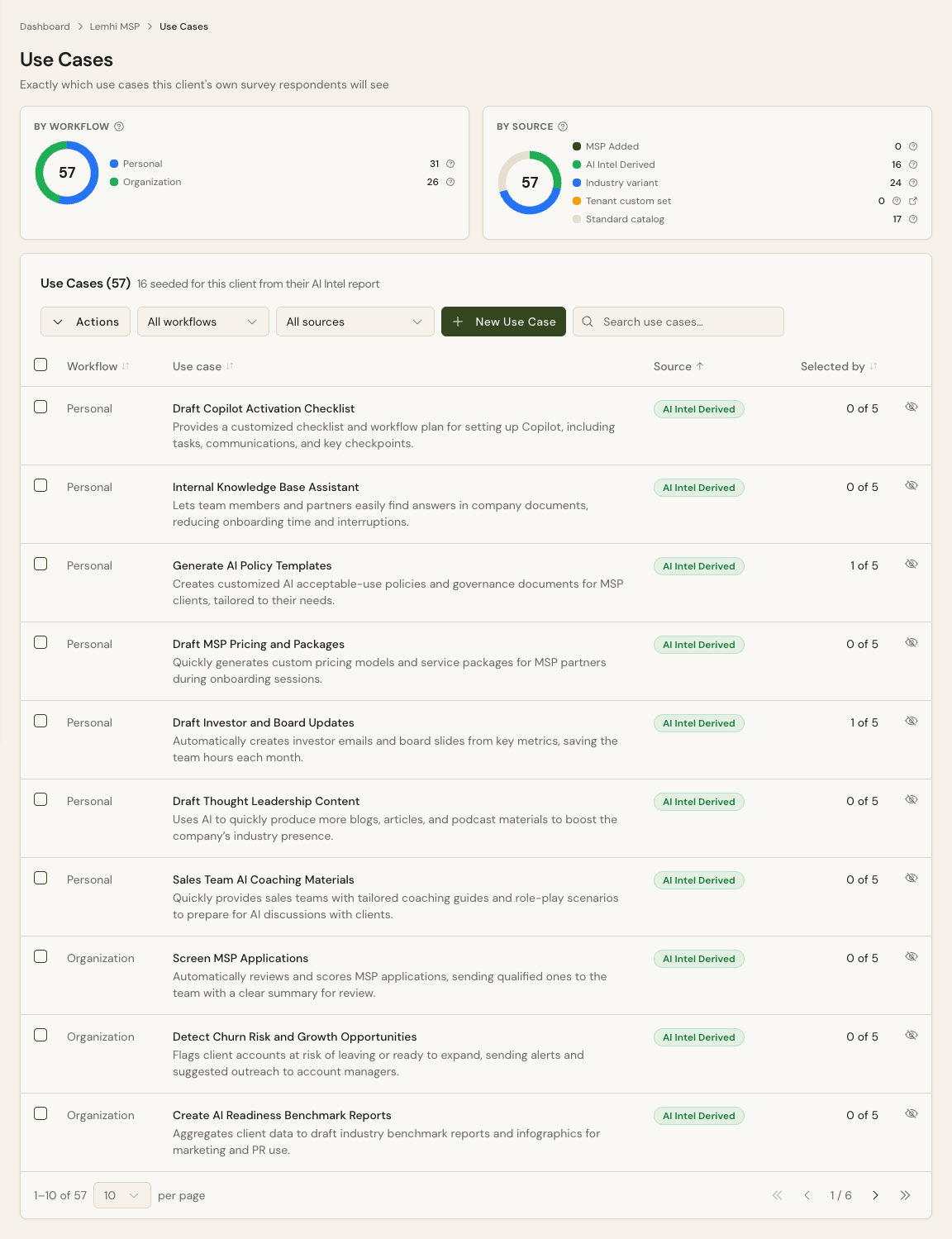
AI Intel opportunities lead the survey: Use cases a client's AI Intel report found now sit at the top of that client's AI Assessment Survey, ahead of the generic catalog. A Use Cases page under AI Assessment shows exactly what respondents will see, tagged by source, with hide and show per use case. Applies to reports completed from this release on.
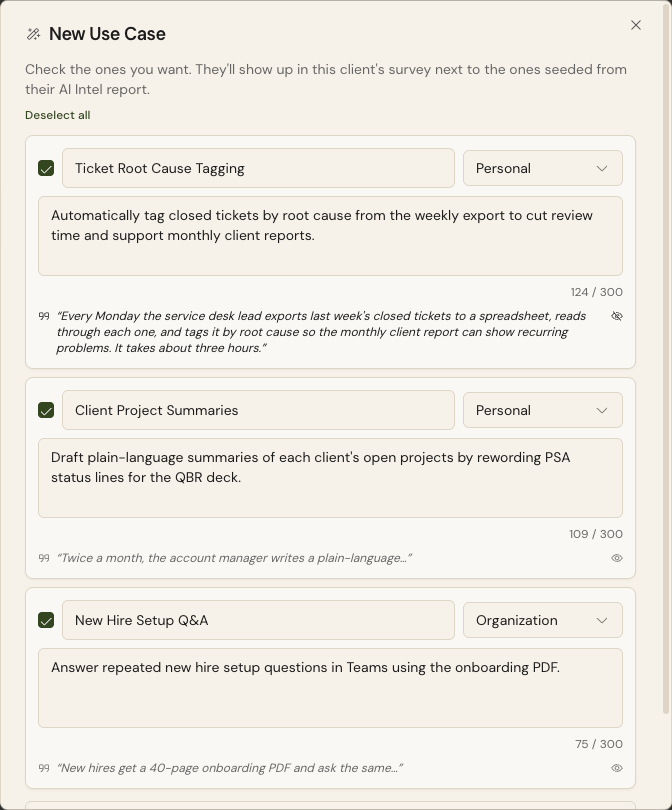
Mine use cases from a client's own documents: On the same page, click New Use Case, paste SOP or process text or upload a transcript, and Lemhi drafts candidate use cases, each backed by a verbatim quote from the source. Review, edit, select, and they flow into the client's survey as MSP Added rows.
A Processes view for the vCIO: A new Processes entry under AI Assessment lists the operating processes AI Intel mined for the client, with evidence quotes, linked to their use cases. Add volume, cost, and FTE impact; your edits survive a report re-run.
Reword survey questions for your audience: Tenant Settings gets an Assessment Wording tab where you override any question title, helper line, or step label, with a Customized badge and reset to default. A warning notes that changing what a question asks can affect how results report.
AI Workshop Invitation one-pager: A branded, printable invitation in the Reports hub and on the assessment-link strip. It explains the survey, previews the kinds of questions, includes the client's live assessment link, and pulls up to three industry adoption facts from the client's AI Intel report.
AI Intel: Reports That Keep Up With the Pipeline
Refresh an older report easily: When Lemhi's report pipeline has moved on since a report was generated, a Refresh report button appears in the page header. It re-runs the report with no prospect credit. Every existing report qualifies for one free refresh.
Your standing questions, one click away: Tenant admins save up to ten Custom Prompts in Tenant Settings. They appear as pills after Lemhi's five built-in questions on Ask this report for every client.
Three Lemhi-managed Sales Briefing presets: Report Templates and the Customize popover list QBR Template, Industry Only Trends, and Prospect Call with a Managed by Lemhi badge. Your own default still wins. Slide headings are also plainer: Key Findings, Industry Trends, Risks to Watch, and Biggest Opportunity.
Compass: Less Clicking, Faster Task Setup
Bulk assign and reassign: On a client's Active tasks tab, select several tasks and use Assign in the bulk bar to hand them all to one person, or Unassign. One Undo restores the previous owners.
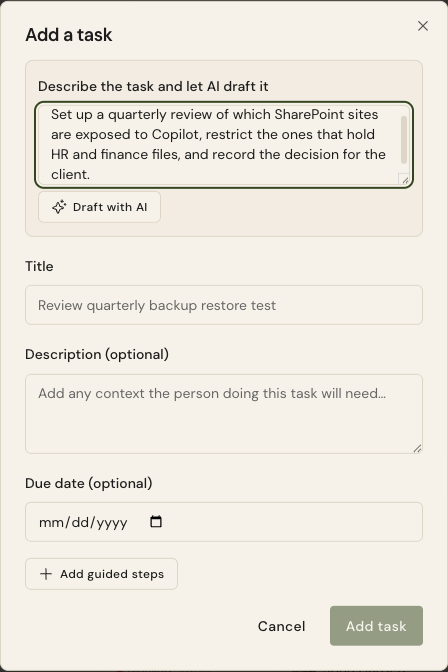
Draft a task with AI: The Add a task dialog has a plain-language box above Title. Describe the task, click Draft with AI, and Lemhi fills in the title, description, and guided steps for you to edit before saving.
Paste screenshots into guided steps: While editing a guided step, paste an image straight from the clipboard instead of saving a file and browsing for it.
Bug Fixes and Other Improvements
Personal-only AI tools named by survey respondents no longer leak into the client's tool inventory, Tool Report, Executive Summary, or Enablement views
The Sales Briefing opportunity matrix no longer runs off the Biggest AI Opportunities slide, and competitor verdicts no longer wrap on the Competitive Picture slide
Regenerate on the AI Summary panels (AI Observability Claude AI tab and the Data Governance dashboard) produces new text instead of replaying the cached summary
Use Case Insights and the Results By Group tab pick up newly arrived employees without a manual regenerate
Saves on the client report Configure tab (report audience, primary tools, guiding narrative) are no longer lost on reload
The Agents page no longer blames permissions when the connected Microsoft account has no license; the message now says to assign a license that includes Dataverse or reconnect with a licensed admin
Partner Center consent failures with an empty 403 are no longer labelled transient; the message now points at the GDAP relationship and AdminAgents membership