Lemhi Release — Canoe Camp, ID (Sep 17, 2026)

What's New: September 17, 2026
Canoe Camp release: the pine flat on the Clearwater River where the Corps, sick and worn down from the Bitterroot crossing, spent ten days in the fall of 1805 burning and hewing five dugout canoes out of ponderosa pine for the run to the Pacific.
Everything here lands on what you hand the client. Build your own report out of the pages Lemhi already generates, send any report as a Word file your client can edit, and give a teammate a seat that opens Lemhi Labs and nothing else.
Build the Deliverable Once, Use It on Every Client
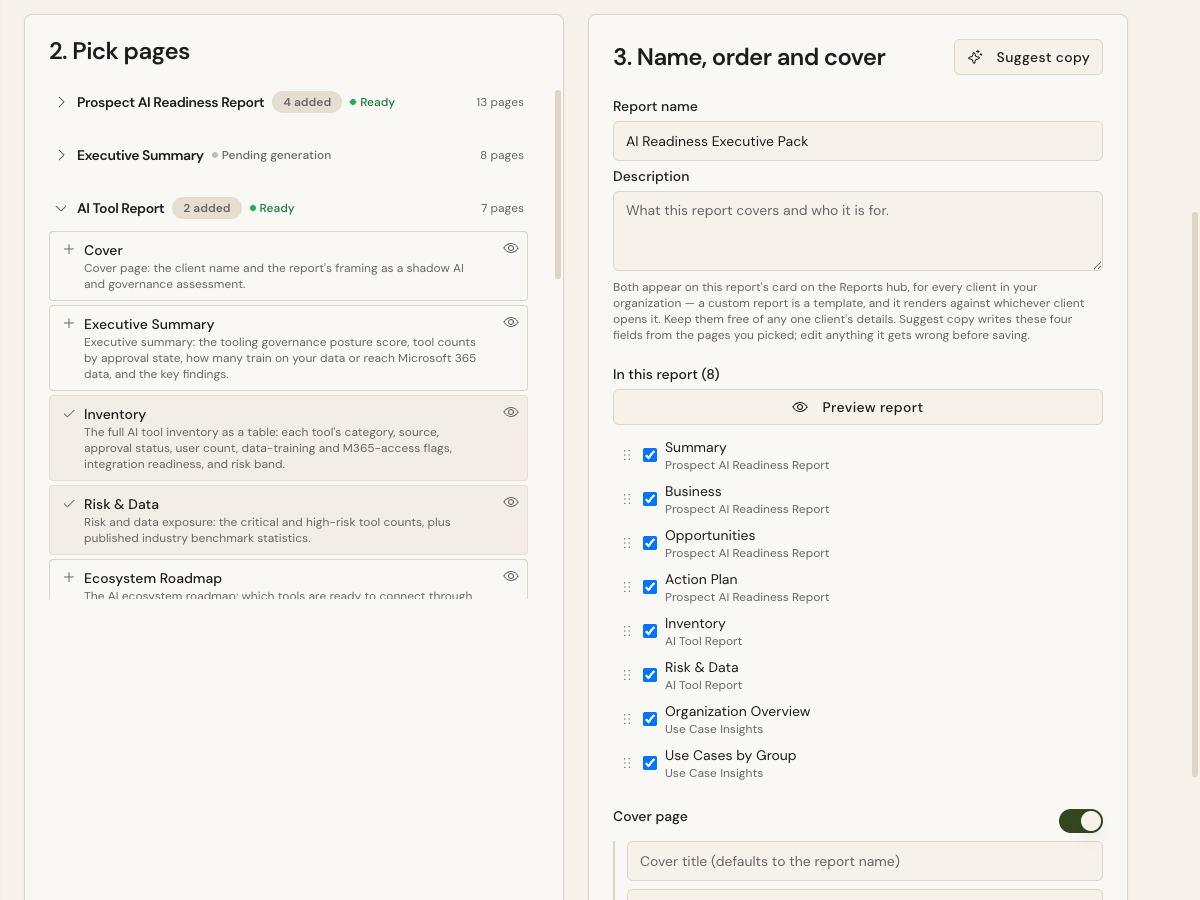
Pick the pages and set the order: On any client's Reports hub, an Admin clicks New custom report and chooses Deck or Document. Pull pages from as many existing reports as you want, drag them into order, name the cover. A Document draws from nine client reports; a Slide deck draws from the AI Sales Briefing and AI Workshop decks.
Saved once, waiting on every client: A saved custom report appears under Custom Reports on every client's Reports hub and fills with whichever client you opened it from. Build your QBR pack this quarter and it is ready for every client next quarter. Everyone on your team can open and export it; only Admins create, edit, or delete one.
Preview on real client numbers: Each page previews with the open client's own data, and a whole-report preview shows exactly what gets delivered. Suggest copy drafts the name, description, cover title, and subtitle from the pages you picked. Nothing client-specific goes to the model.
Where the edges are: This is a new builder, separate from the Tenant Assessment Custom Report retired last week. Decks export to PowerPoint and Documents export to PDF. A custom report has no Word or Markdown export yet, and a page whose source report has not been generated for a client is left out of that client's copy.
Send a Report Your Client Can Edit
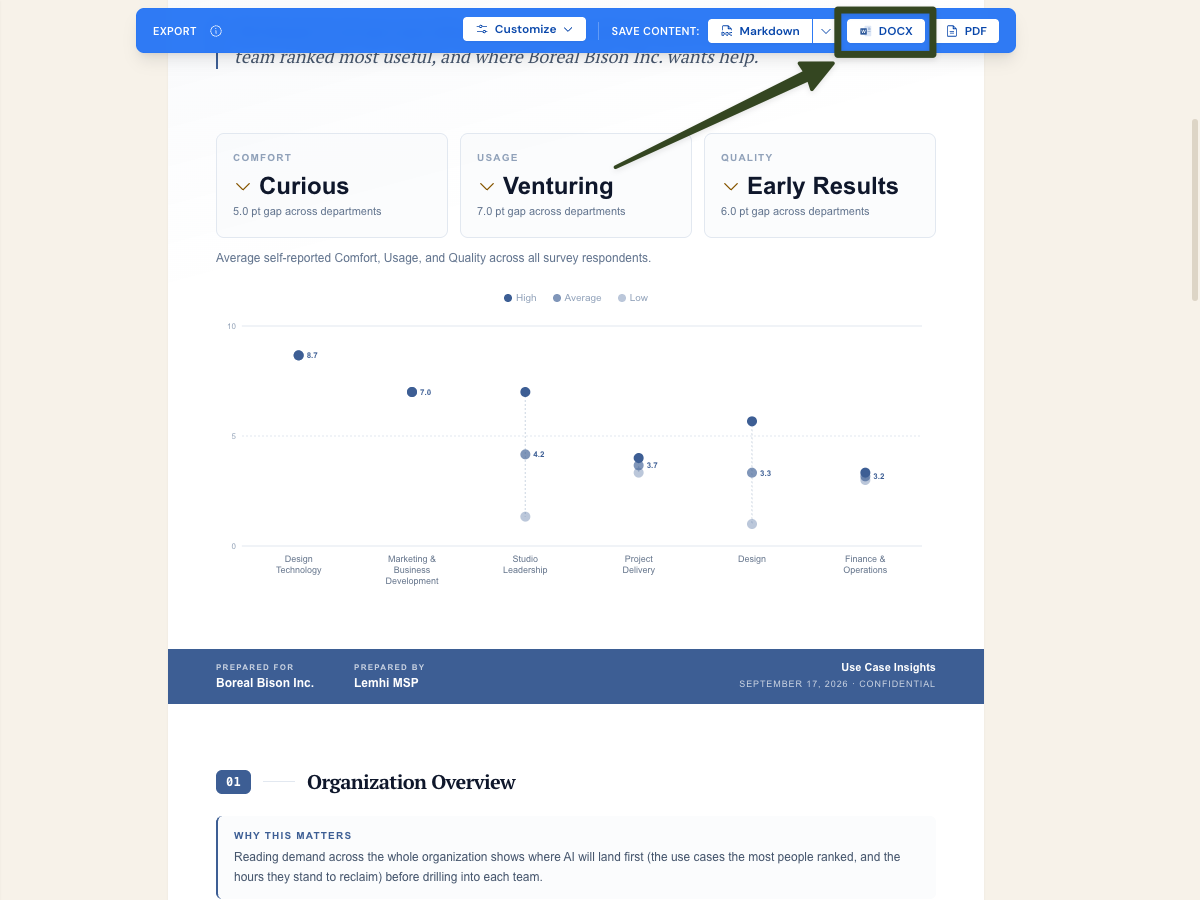
A DOCX button on every client report: It sits beside PDF and Markdown in the export bar of all nine reports (Tenant Assessment, AI Impact, AI Tool Report, Data Governance, Copilot Insights, Technical Copilot Readiness, Prompt Library, Use Case Insights, and Executive Summary). The AI Workshop Invitation has one too.
The formatting comes with it: Charts, icons, your brand color, and your brand fonts all carry into the Word file. When a client wants to reword a recommendation or drop a section into their own board document, send the file instead of watching them retype a PDF. Page breaks land close to the PDF's, though not page for page.
Train the Team Before They Touch Client Data
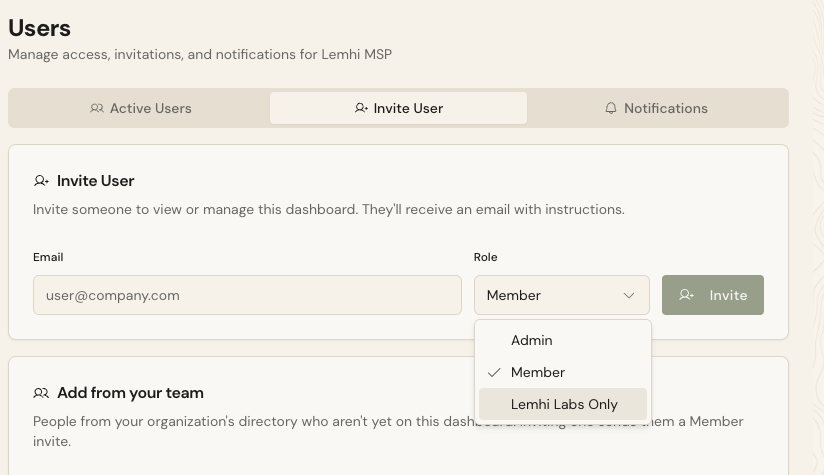
A new role, Lemhi Labs Only: Invite someone from the Users page, or change an existing user's role, and their sidebar shows Learn and nothing else. They browse Lemhi Labs, open a Lab, watch the video, and use Learn Now.
No client data within reach: Put a new hire or a salesperson through the Labs before they get access to a single client. The limit is enforced on the server, so a bookmarked client link sends them back to Learn.
Coming Soon
ConnectWise PSA: Push a Compass task to ConnectWise as a service ticket, link a task to a ticket a technician already opened, and read the ticket's status on the task. This week added bulk push, a Check connection action, clearer reasons when ConnectWise rejects a ticket, and a link from the ticket back to the task. Still heading into a pilot with two partners before the phased rollout.
Client Configuration: Now covers Copilot in Teams calls and meetings and Copilot self-service purchases, alongside the Copilot policy settings and SharePoint site controls. Still in a phased rollout.
Public API and API keys: Revocable keys in MSP settings plus a public API for clients, playbook progress, Compass tasks, tooling inventory, and use cases. Still in a phased rollout.
Bug Fixes and Other Improvements
A new client's AI Plan no longer forces Microsoft Copilot into the tool list: AI Inventory lists only that client's Tooling Inventory, an approval is optional, and Copilot is removable like any other tool
Score card AI summaries are collapsed by default and generate when you open one, so a client's Results page loads without waiting; About this score is now a pill at the card's top right
An AI Impact report confirms who owns the client's domain before researching, and the company name and industry you entered steer the match, so a client with a well-known namesake gets the right one
Survey invitations, signup invites, End Client login codes, and report notices from Lemhi should be marked as spam at a significantly reduced rate.
Use Case Insights group headers count the people who responded, not everyone whose title maps to the group, in the report, the Use Cases by Group cards, and the Markdown export
The AI Workshop Invitation always prints on one page, however long the client's industry trends run
Hovering a menu item, dropdown option, or outline button now gives a quiet tint with normal text instead of a hard-to-read orange block, in light and dark mode
A failed agent deploy names the step that failed (publish, org-wide sharing, or Copilot Studio authoring), retries the transient ones once, and no longer reports success over a failed read
Also: the Agents library note now says changes made in Microsoft, such as a quarantine, take about 15 minutes to appear; in Tooling Inventory, opening an app's detail sheet no longer flashes the previous app's content