Lemhi Release — Camp Fortunate, MT (Oct 30, 2026)

What's New: October 30, 2026
Camp Fortunate release: the camp where Clark's party caught up with Lewis in August 1805, Sacagawea recognized her brother, and the Corps traded for the horses that would carry them over the mountains.
This release adds two marketing tools for finding AI work: one on your website for businesses that aren't clients yet, and one link you send to every current client. ScalePad is now open to every partner, you can tailor the assessment to each client, and new reports show leadership where they stand and how far they've come.
Turn Your Website and Client List Into an AI Pipeline
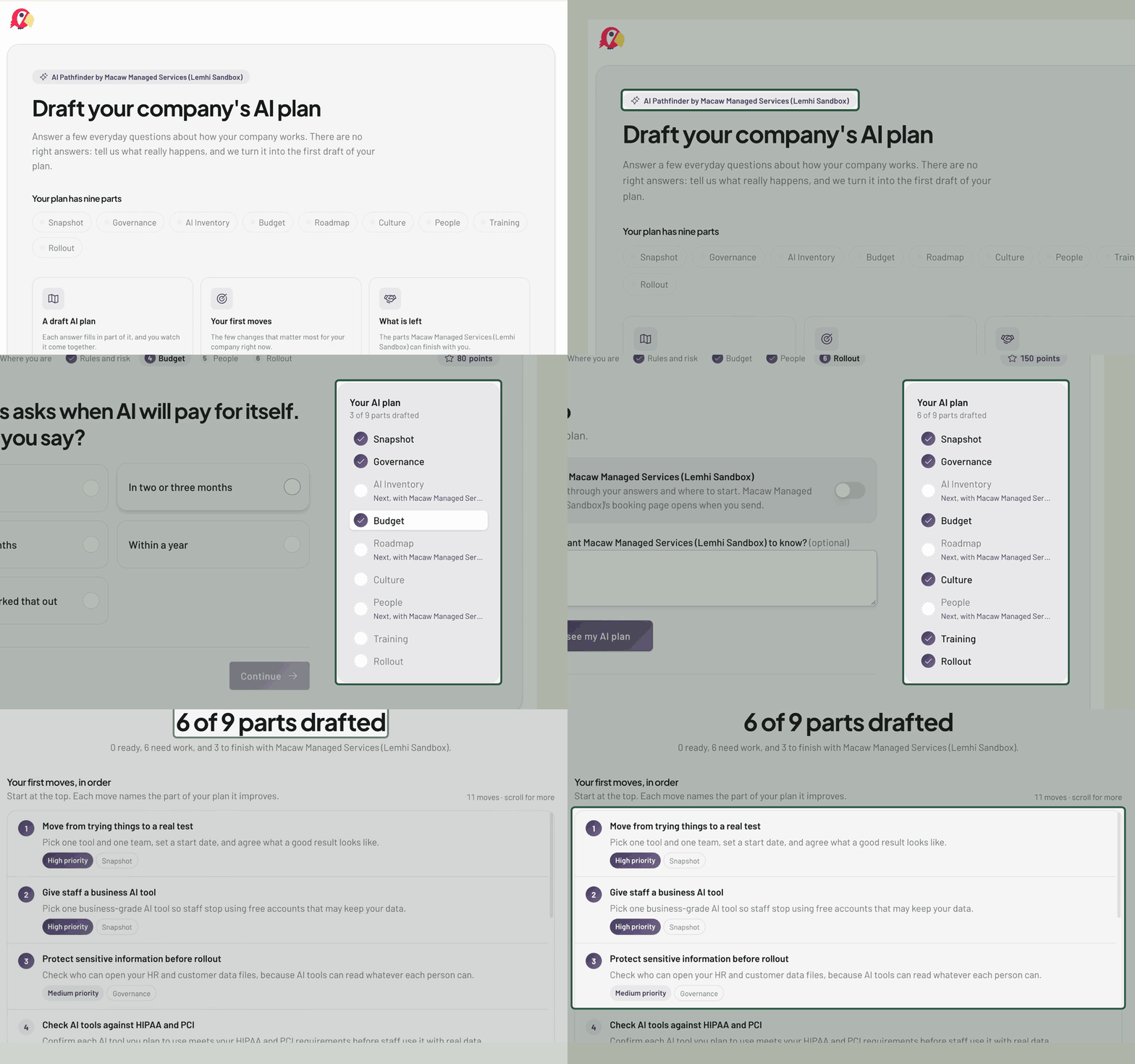
AI Pathfinder: Put an "Is My Business Ready for AI?" button on your website. A visitor answers short readiness questions on a page in your brand (no Lemhi branding), watches a draft AI plan fill in, and finishes with ranked first moves, the areas you can help with, and your booking link. Their answers start that company's AI Plan Builder, so your first meeting starts with a draft plan in hand.
AI Demand Finder: Send one link to every client to see where each stands on AI. Answers land on that client's page, named tools join their tool inventory, and anyone who asks to talk goes to your Lead Gen notification list. You see who started and how far they got, so you know which clients to call first.
One home for both: The new Marketing Tools sidebar group holds both tools and Lead Gen, each with a dashboard, shareable links, a ready-to-send email, and a submissions table.
ScalePad, Open to Every Partner
Connect it yourself: The ScalePad card is under Settings, Integrations for every partner. Add your key, map clients automatically, and AI Roadmap initiatives stay in sync from then on.
AI progress in every QBR: The "In ScalePad" strip on Compass Overview writes the client's AI progress summary into their next ScalePad review meeting. After each QBR, the next summary starts automatically.
Reports where the meeting is: Send a client report straight to a ScalePad meeting from their Reports page.
Shape the AI Assessment to Each Client
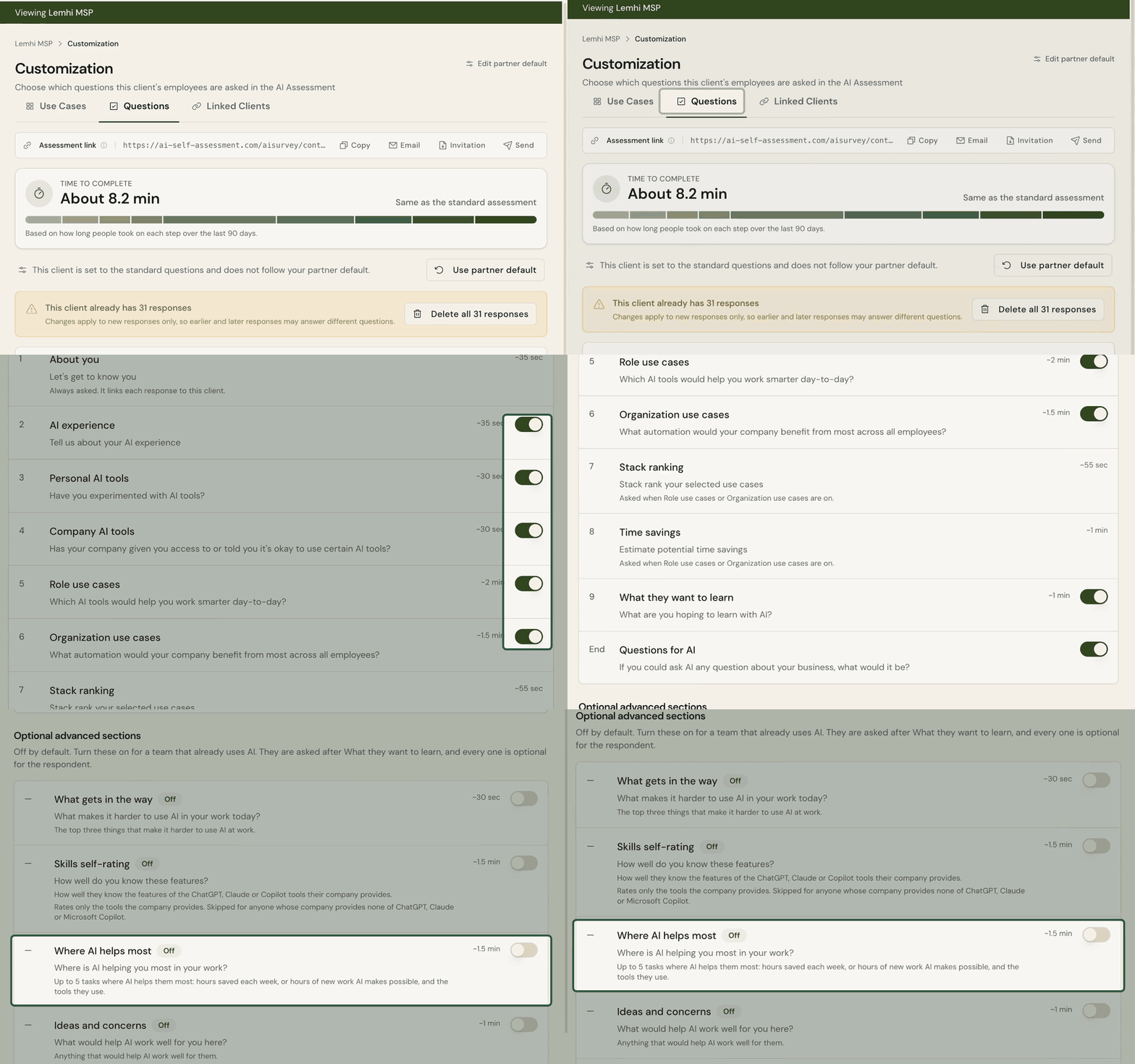
Choose the questions: AI Assessment, Customization (formerly Use Cases) has a Questions tab where you turn survey questions on or off per client. Four advanced sections, off by default, go deeper for teams already using AI heavily.
Measure time saved and new work: The optional "Where AI helps you most" section asks each person for up to five tasks, the hours AI saves or the new work it makes possible, and the tools they use. Export to CSV for the monthly numbers leadership asks for.
One workshop for a group of companies: Link sister companies to a parent client. The parent's workshop deck and deliverable reports combine everyone's answers, and each company keeps its own reports.
Reach the right leader: The leader page explains the assessment, suggests who should get it, and shows sample results. Use Get link to share it yourself, or preview the email when your mail app doesn't open.
Show Leadership Where They Stand
Executive Readiness Scorecard: A short report for client executives, under AI Strategy & Policy. An 8-axis radar scores employee confidence, adoption, AI plan, policy, tenant readiness, data governance, tool readiness, and agent governance, each with a one-line reason, then a 90-day roadmap from the client's use cases and AI Plan. Unmeasured areas show as pending and don't count as zero.
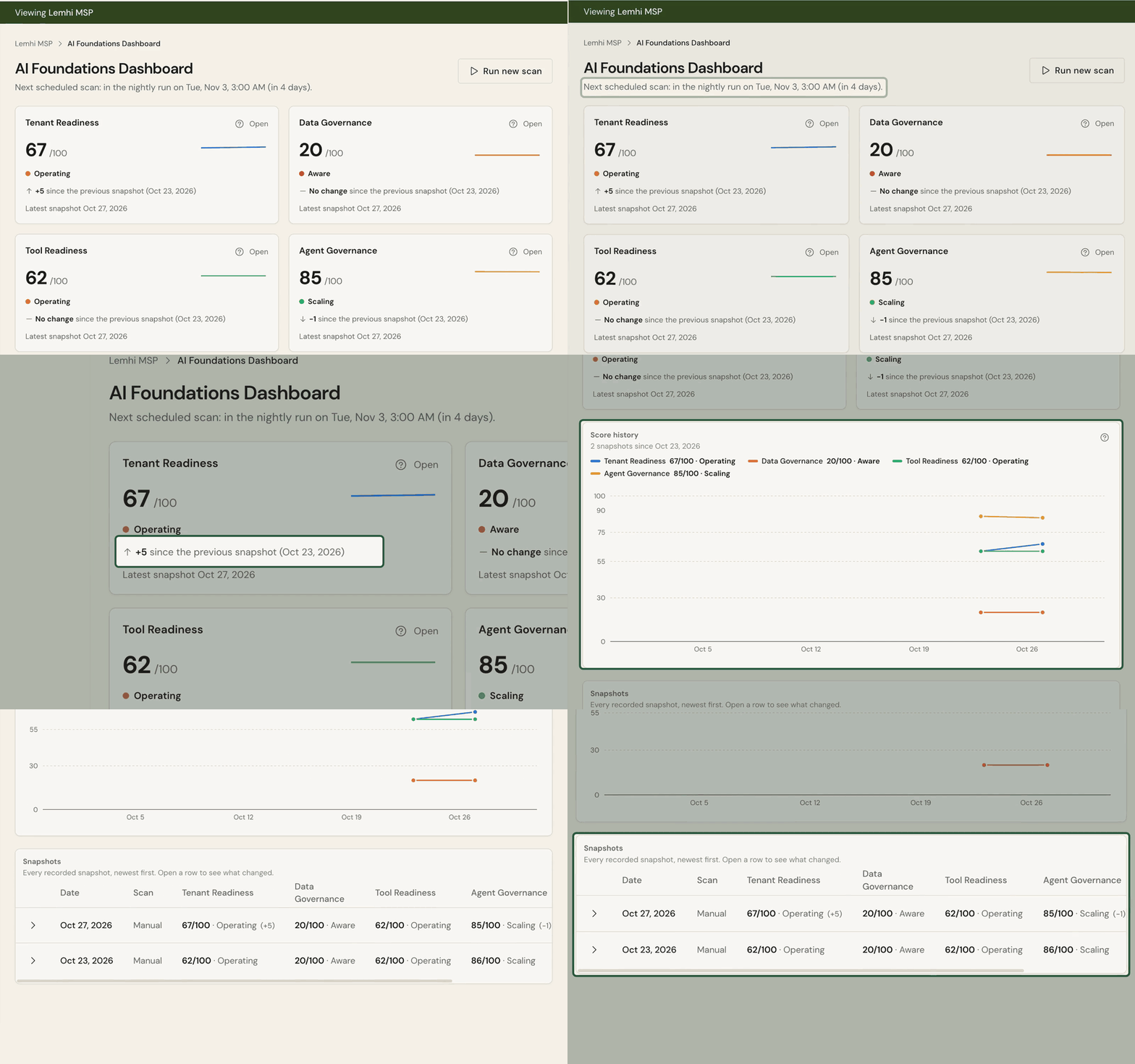
Score history: Lemhi records each client's tenant readiness, data, tool, and agent governance scores after every Tenant Assessment scan, and rescans connected clients on a schedule. The new AI Foundations Dashboard shows each score's level, last-month change, and trend, with a table of which controls started failing or got fixed. Tenant Assessment, AI Data Governance, and AI Tooling each chart their own score's history.
Ready for the workshop: The Microsoft 365 tenant scan starts on its own when a client's first employee completes the AI Assessment, so the deck's security slide has real results when you present.
Bug Fixes and Other Improvements
Clicking a Copilot agent in Compass opens a drawer with Usage, Configuration, and Deployment tabs
The client dashboard opens on a Client Journey guide (Baseline, Deliver, Maintain) with summary rows in journey order
Finish Partner Connect in a private window with a single-use link, without signing in to Lemhi twice
Invite several teammates at once at a chosen role from Add from your team
The AI AUP Builder's completed screen is simpler and adds a policy PDF and an Employee Guide PDF
The AI Plan is now the AI Planner Results tab; the Executive Summary and Prompt Library match the other reports
Apply more tasks from a playbook already on a client's board
AI App Rules marks your own MSP tools, lists them first, and counts every app selected in bulk actions
Every process AI Intel finds produces at least one client-specific use case
The workshop deck adds two "try it live" slides with an example prompt and output
Use Case Insights shows a department high, low, and average chart on the cover and builds title groups in place
The Clients table adds a Next step column and fits long names; the settings cog opens a slim side panel
Client sign-in errors name the cause and fix (Conditional Access, risky user, MFA, GDAP group, permissions, revoked sign-in), with Check again
Network discovery recovers from Microsoft throttling automatically and no longer guesses at licensing from missing data
Data Governance active-user counts are back, and SharePoint checks use the client's current address
The Copilot Readiness Global Secure Access finding no longer shows Not Assessed on every scan
Lead Gen and Partner Connect emails reach your admins again
The trial banner, countdown, and warning emails agree on when a trial ends
Also: report pages with no client data are left out of exports; shared and service accounts are hidden from employee pickers; the client dashboard loads faster; Tenant Assessment and the workshop deck describe gaps instead of pass/fail; your logo sizes to its shape on client pages; the sidebar logo links back to your dashboard; buttons show the pointer cursor again; the workshop deck no longer shows headcount;