Lemhi Release — Spirit, SD (Jul 22, 2026)

What's New: July 2026
Spirit release: in August 1804 the Corps hiked nine miles of open prairie to investigate a hill said to be home to little spirits, and from its top caught their first full view of the Great Plains.
This release is all about wowing your clients. Lemhi now produces more of the client-facing work product for you: a branded Shadow AI assessment, AI-generated speaker notes for your decks, and a Reports hub that keeps every deliverable one click away.
An Easier Way to Show Clients the Finished Work Product
More deliverables, less production work. This release adds a new client-facing assessment, writes the supporting material around your existing decks, and puts every report in one place.
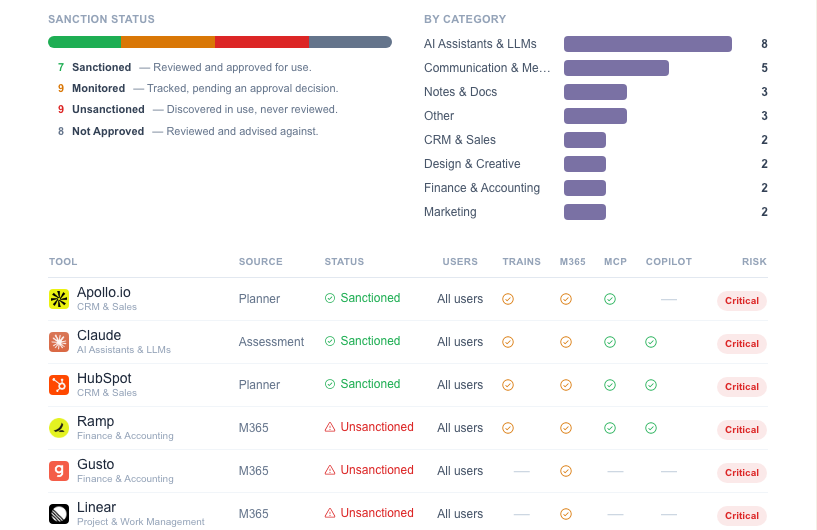
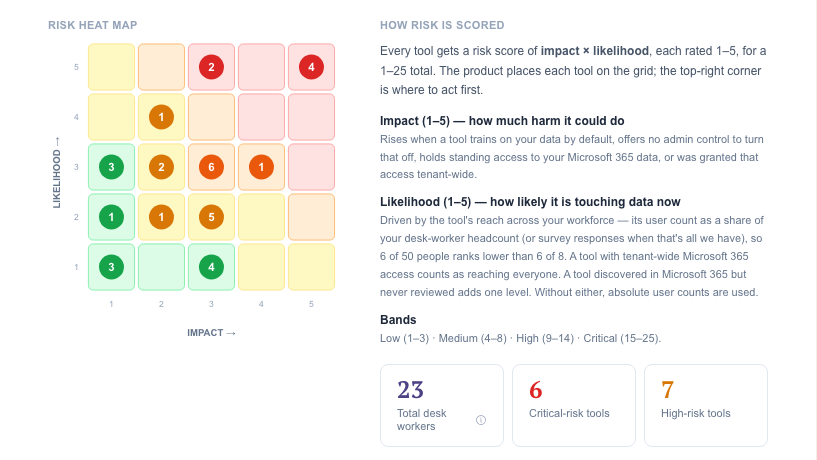
AI Tool Report: The Tooling page now produces a branded Shadow AI & Governance Assessment: a client-facing report on the AI tools in use across their environment and the governance gaps behind them. It's another deliverable you put in front of a client without building it yourself.
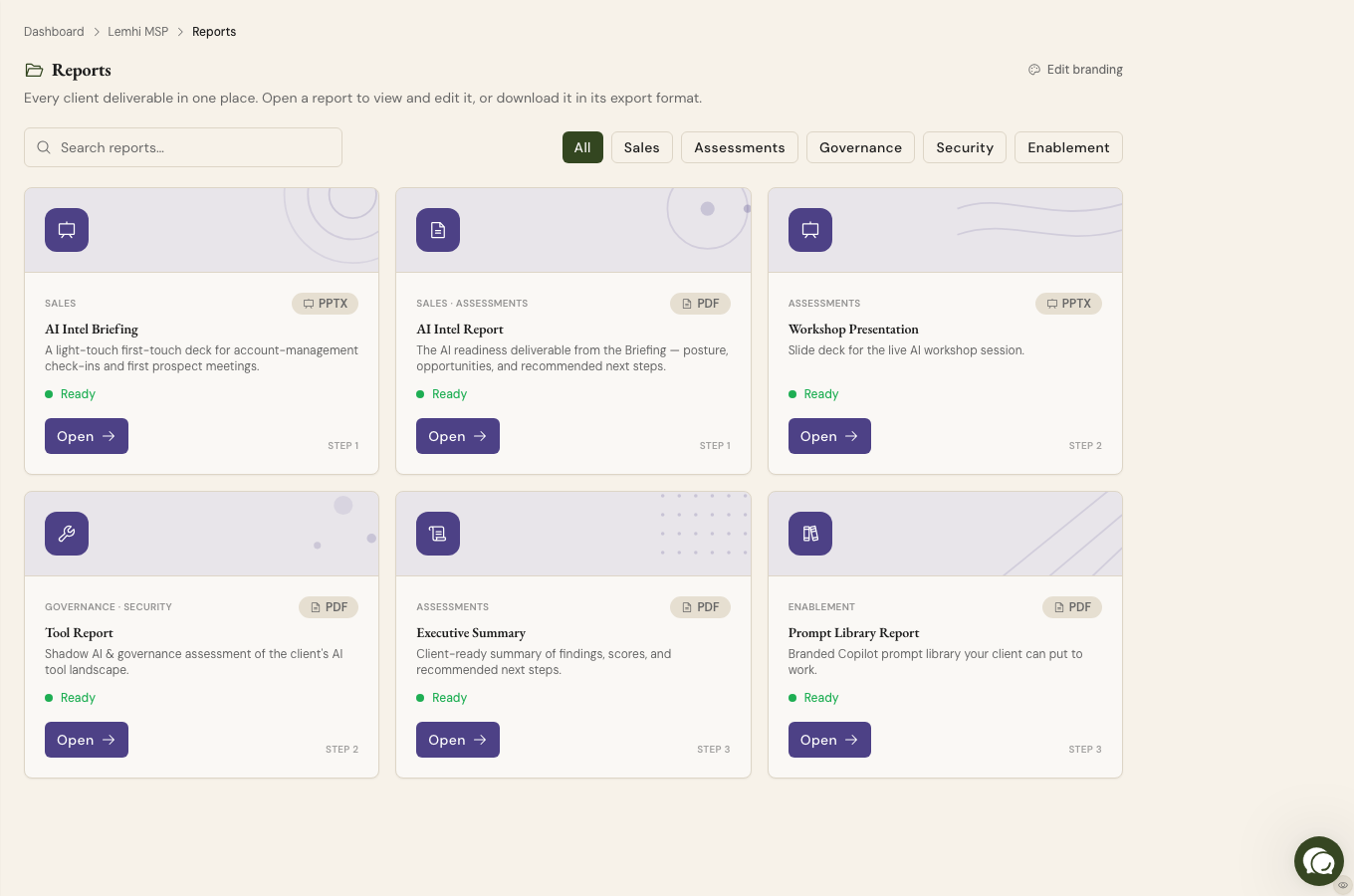
Reports hub: Every report in the client area now lives in one tabbed Reports hub. When a client asks for a deliverable, you pull it from one place instead of hunting through feature pages.
Report Templates: Save per-tenant page-layout presets that apply across all report and deck surfaces. Set the layout once and every export matches it, so nothing goes out needing a reformat first.
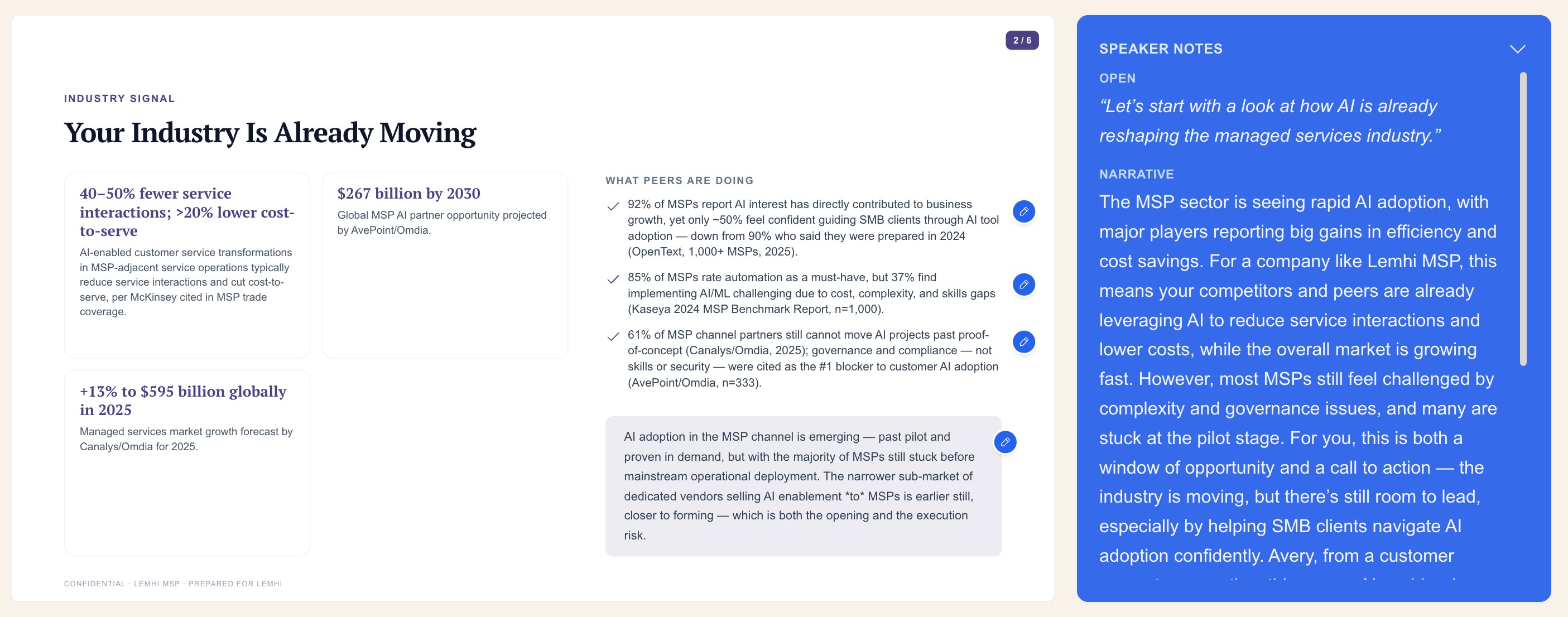
AI Speaker Notes on decks: Sales Briefing and Workshop decks now generate presenter notes, so whoever presents walks in with talking points already written.
Download as Markdown: Export any report as Markdown from a single export control, for when you want the content in your own tools.
Training You Can Watch, and Training You Can Run
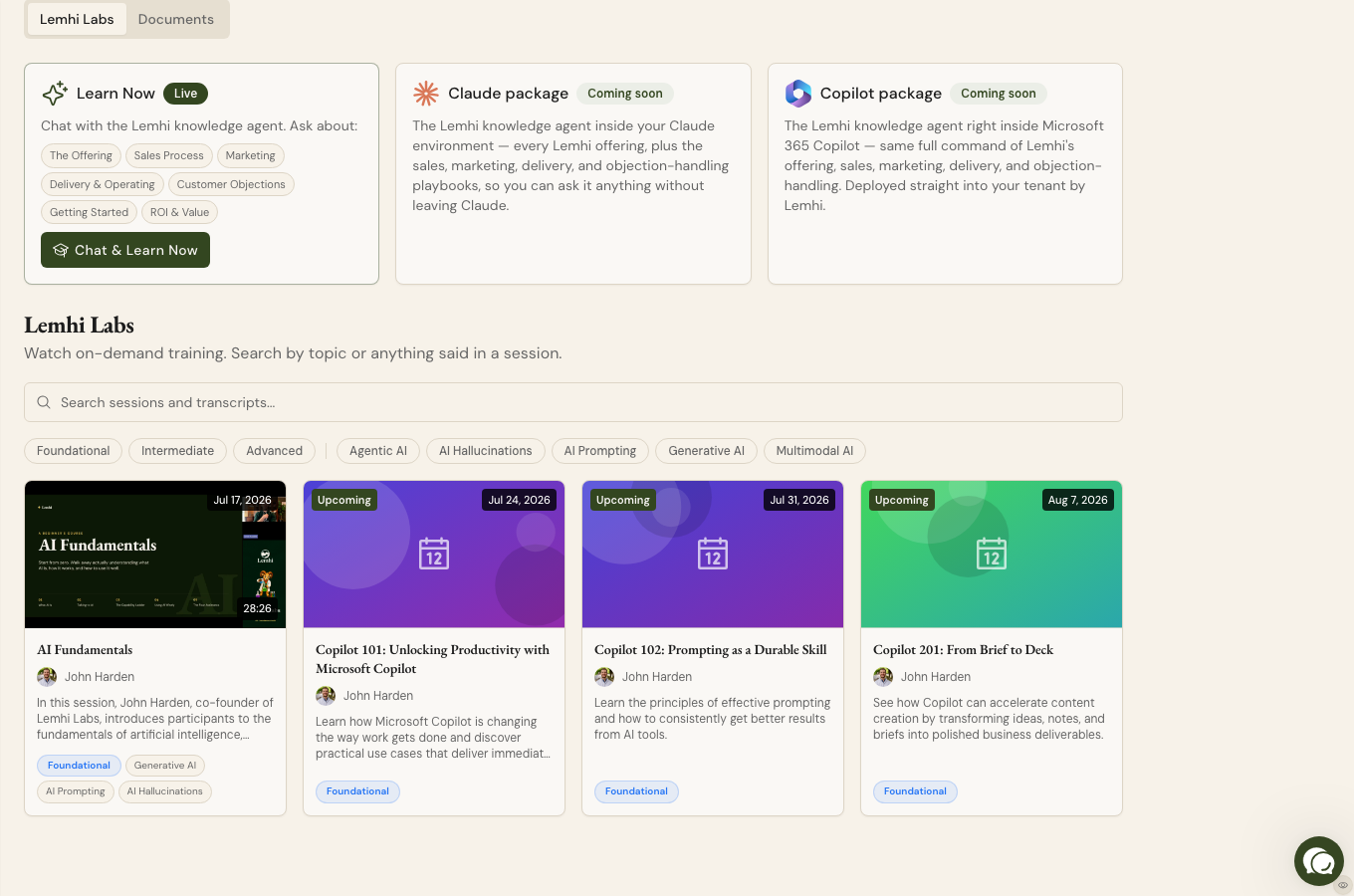
Lemhi Labs video training: The Learn hub now has a video-training library. Your team watches short walkthroughs instead of reading docs and gets up to speed faster.
Downloadable Copilot Training decks: Download Copilot Training decks straight from the Learn hub document cards, ready to run in your own client sessions. That's one more piece of client-facing material you don't have to build.
Take the Friction Out of Client Touchpoints
Self-assessments on a neutral domain: The client self-assessment now lives on a neutral, unbranded domain (ai-self-assessment.com), so recipients see a clean assessment link with no vendor branding to explain. Prior surveys sent with the Lemhi.com domain will continue to work as expected.
Drill into who answered: Tool counts in survey results are now clickable, taking you straight to the respondents behind the number, so you start the follow-up conversation with actual names in hand.
Run the showcase demo on demand: A "Try it" button starts the showcase demo whenever you want it, useful mid-conversation with a prospect.
Enablement planner refinements: A set of UX improvements to the Enablement planner from a working session with a live MSP.
Honest wait times on AI Intel: The AI Intel processing state now shows accurate wait-time copy and offers to notify you when the report is ready, instead of leaving you watching a spinner.
Know Where Your Microsoft Connection Stands
See which account is connected: The Partner Connect status now shows the connected Microsoft account, so you confirm at a glance you linked the right one.
A straight answer on consent declines: When Partner Center declines GDAP client consent, you get a clear, non-retryable error explaining what happened instead of a generic failure that invites pointless retries.
Bug Fixes
Fixed deck PDF exports rendering at the wrong size and clipping content
Fixed Workshop Presentation deck render issues (overflowing goals and tool icons)
Fixed the end-client portal going blank after using the browser Back button from the Use Case Library
Fixed AI Intel alert emails missing the dimension details they were supposed to include