Lemhi Release — Hungry Creek, ID (Sep 10, 2026)

What's New: September 10, 2026
Hungry Creek release: the steep, timbered creek bottom on the Lolo Trail where Clark's advance party camped on September 18, 1805, out of food after the snowbound Bitterroot crossing, and named the stream for the state they were in.
Renamed: AI Strategy and AI Foundations
Two nav sections have new names: AI Planner is now AI Strategy, and AI Readiness is now AI Foundations. The names now match the Compass playbooks you already run, and they carry through the client nav, the Partner Dashboard journey track, the client journey tracker, onboarding, and the playbook task instructions.
Dark Mode
Light, Dark, or System: Click your name in the bottom-left, open User Preferences, and pick a theme. Light stays the default, so nothing changes for your team until someone opts in.
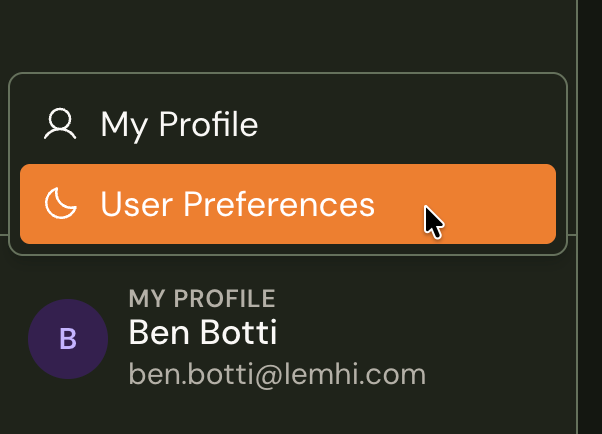
Client deliverables stay light: Reports, print output, and the End Client portal render light whatever you choose.
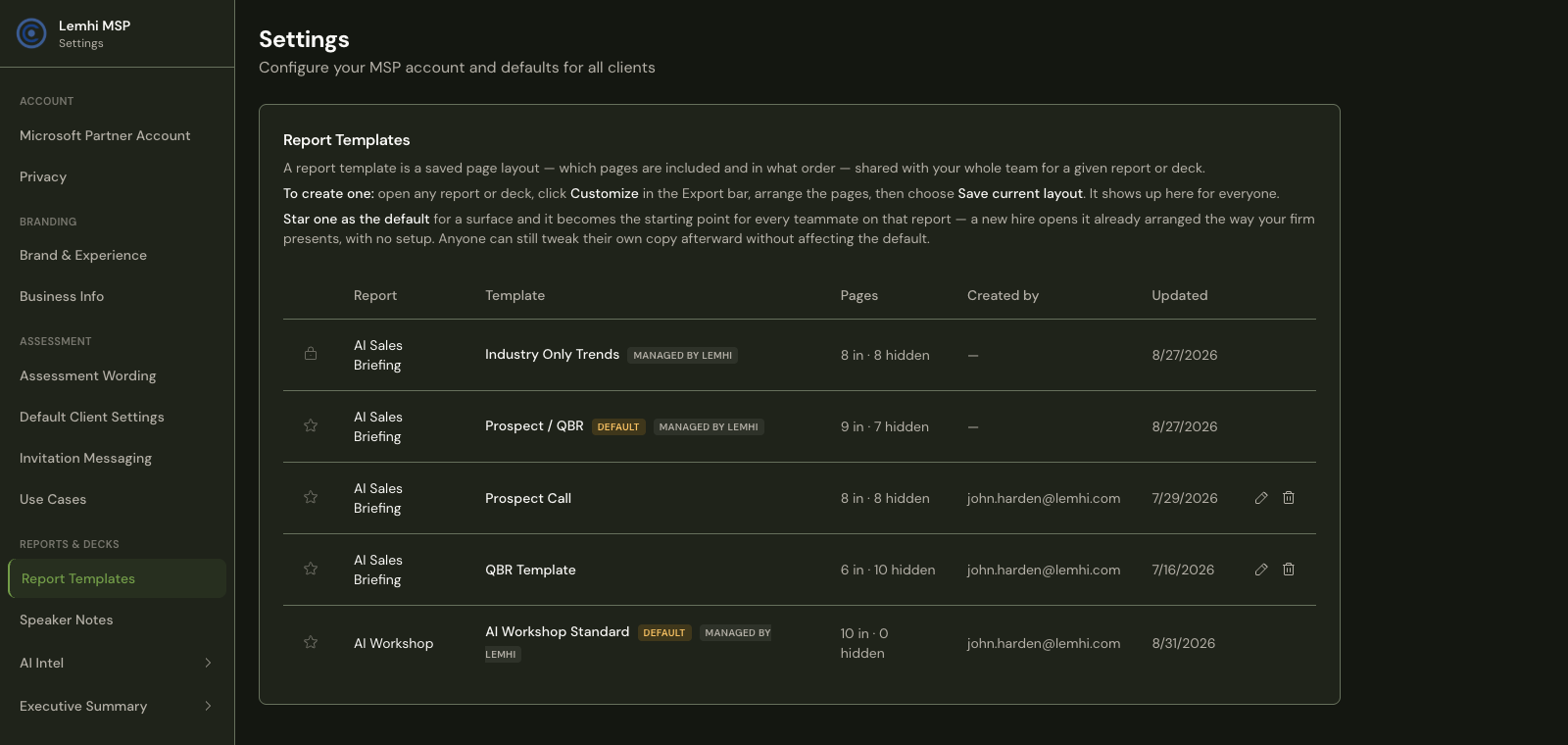
Tooling Inventory: See Every Connected App
Switch to All apps: A toggle in the filter bar swaps the AI tool list for every third-party app connected to the client's Microsoft 365 tenant. When a client asks about an app, find it or prove it is not connected. A partner raised this one: the inventory was dropping everything that was not a known AI tool, so the data looked wrong.
The same detail on any app: Consent type, permissions granted, linked users, and a link into Microsoft Entra. Hide one with a reason, the way you hide an AI tool.
Tenant Assessment: One Searchable Table
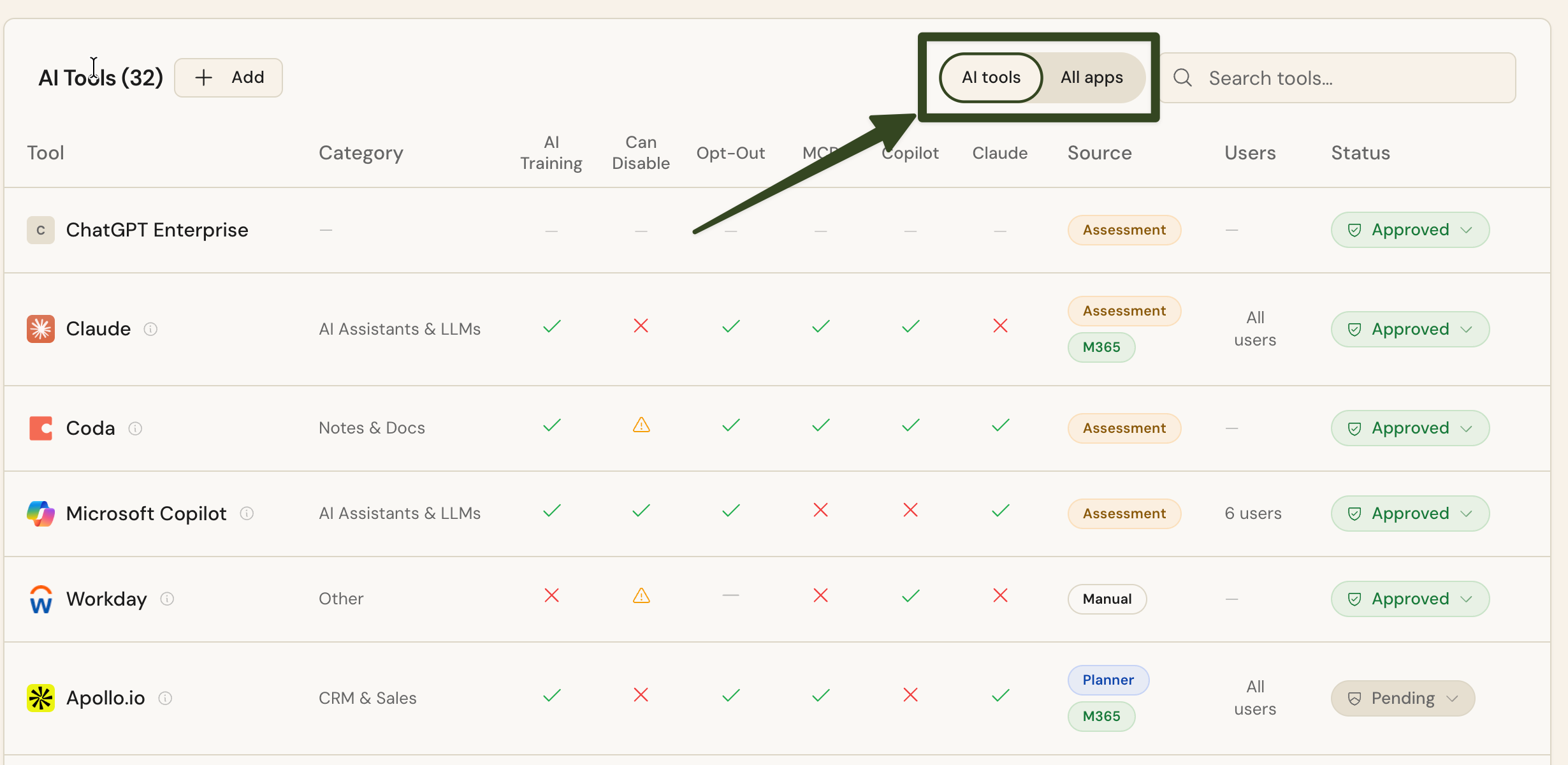
Findings Workbench, with Advanced Mode's search built in: Three tabs collapse into one. Filter by Service, Status, Priority, or Finding, search across the finding, observation, and recommendation, and export the filtered rows to CSV. Hover any Pillar Pts number and it explains the score in that finding's own terms.
Custom Report retired: Add to report, MSP commentary, the AI Executive Summary, and the custom PDF export are gone, along with anything you had curated in the browser. The AI Readiness reports in the Reports hub are unchanged.
Settings: One Area You Can Send Someone To
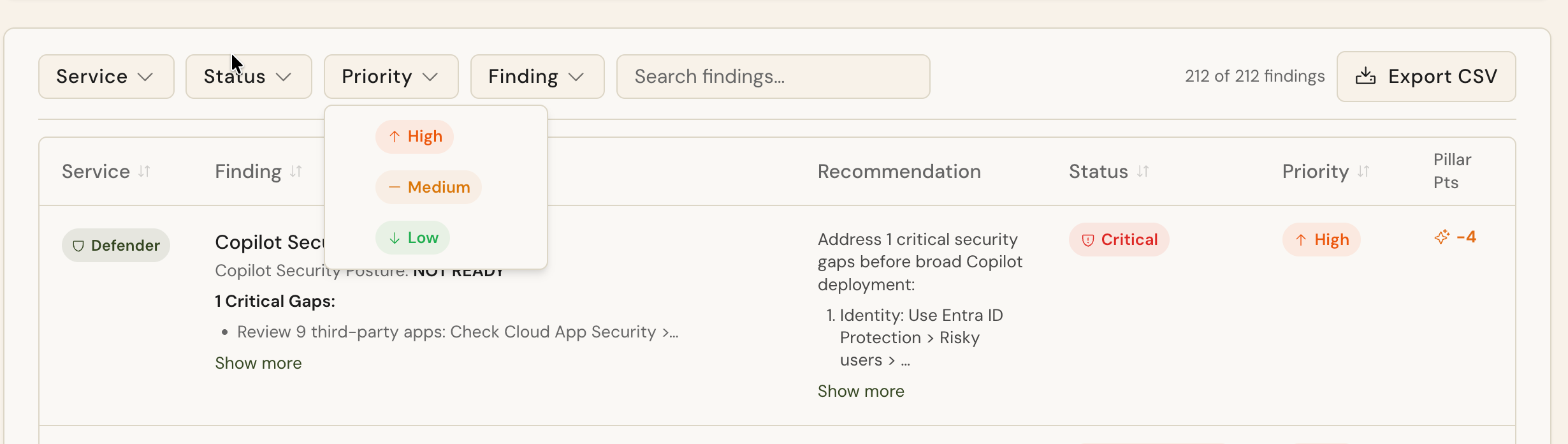
Grouped nav, everything in one place: Settings is now a single area grouped into Account, Branding, Assessment, and Reports & Decks. Branding and Use Cases moved in from the sidebar.
Every page has its own link: Send a teammate straight to Speaker Notes or bookmark the Briefing Disclaimer, instead of walking them through four clicks on a screen share. Old links redirect.
Coming Soon
ConnectWise PSA: Push a Compass task to ConnectWise as a service ticket, attach a task to a ticket that already exists, and read its status without leaving Lemhi. Heading into a pilot with two partners before the phased rollout.
Client Configuration: Apply a client's Copilot policy settings and SharePoint site controls from inside Lemhi, including bulk restrict-from-search. Still in a phased rollout.
Public API and API keys: Revocable keys in MSP settings plus a public API for clients, playbook progress, Compass tasks, tooling inventory, and use cases. Still in a phased rollout.
Bug Fixes and Other Improvements
Draft agents have a Deploy button on the Deployment tab, where technicians look for it, and deleting a draft now removes its Microsoft 365 title instead of leaving an installable card behind in the client's Agent Store
A just-deployed agent stays in the library instead of disappearing for the fifteen minutes Azure takes to index it, and settles from Publishing to Active on its own
The Deployment tab shows the Teams link and app package whenever they exist, even with no Copilot link, and no longer tells you to wait for a status the page already shows
Partner Connect explains two more failures: a Conditional Access block now names the Microsoft error and the fix, and the insufficient-role error names the account and the security group it needs to join
A mistyped email domain in the assessment survey can no longer invent a company or create a duplicate client; the survey checks the domain first and offers the client you already have
The client report Configure tab no longer loses every value on reload when a save carries Report Audience or Primary Tools
A fast switch between tenants no longer shows the previous tenant's client list
End Client login no longer hangs on Send Code when the email service stops responding; it fails in ten seconds and lets the person retry
A failed Tenant Assessment scan now shows the scanner's own message, so you can tell a permissions problem you can fix from a transient one worth retrying
The Data Governance Sites tab gets its own AI Summary of site-level posture: stale sites, external sharing, Everyone access, missing labels, ownership gaps